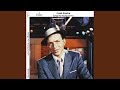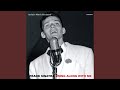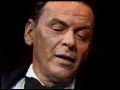

Frank Sinatra

Updated July 2026 · 53 albums · 612 tracks · Free
Start Play All tracks

Frank Sinatra was the voice. Not a voice — THE voice. For fifty years, he defined what a popular singer was supposed to sound like. The phrasing was impossible. Every syllable placed with surgical precision on the beat, behind it, or just ahead of it, exactly where it needed to be. He didn't just sing the Great American Songbook — he owned it. My Way, New York New York, Fly Me to the Moon, Strangers in the Night, That's Life. These aren't just songs. They're the sound of mid-century America.
Frank Sinatra — listen free on Mixtuby

Discography

Explore the complete Frank Sinatra studio albums. Click any album to see the full track list and listen.
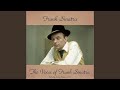
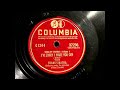
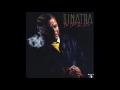
The Voice of Frank Sinatra by Frank Sinatra — album cover
The Voice of Frank Sinatra 1946
8 tracks ·

Songs by Sinatra by Frank Sinatra — album cover
Songs by Sinatra 1947
8 tracks ·

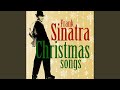
Christmas Songs by Sinatra by Frank Sinatra — album cover
Christmas Songs by Sinatra 1948
15 tracks ·

Frankly Sentimental by Frank Sinatra — album cover
Frankly Sentimental 1949
8 tracks ·

Dedicated to You by Frank Sinatra — album cover
Dedicated to You 1950
8 tracks ·

Sing and Dance With Frank Sinatra by Frank Sinatra — album cover
Sing and Dance With Frank Sinatra 1950
8 tracks ·

Songs for Young Lovers by Frank Sinatra — album cover
Songs for Young Lovers 1954
8 tracks ·

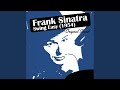
Swing Easy! by Frank Sinatra — album cover
Swing Easy! 1954
12 tracks ·

Christmas With Sinatra by Frank Sinatra — album cover
Christmas With Sinatra 1955
6 tracks ·

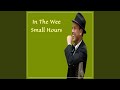
In the Wee Small Hours by Frank Sinatra — album cover
In the Wee Small Hours 1955
16 tracks ·

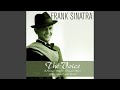
The Voice by Frank Sinatra — album cover
The Voice 1955
12 tracks ·

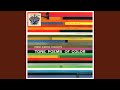
Frank Sinatra Conducts Tone Poems of Color by Frank Sinatra — album cover
Frank Sinatra Conducts Tone Poems of Color 1956
12 tracks ·

Songs for Swingin' Lovers! by Frank Sinatra — album cover
Songs for Swingin' Lovers! 1956
15 tracks ·

That Old Feeling by Frank Sinatra — album cover
That Old Feeling 1956
12 tracks ·

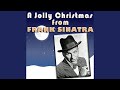
A Jolly Christmas From Frank Sinatra by Frank Sinatra — album cover
A Jolly Christmas From Frank Sinatra 1957
12 tracks ·

A Swingin' Affair! by Frank Sinatra — album cover
A Swingin' Affair! 1957
16 tracks ·

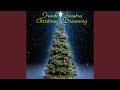
Christmas Dreaming by Frank Sinatra — album cover
Christmas Dreaming 1957
10 tracks ·

Close to You by Frank Sinatra — album cover
Close to You 1957
12 tracks ·

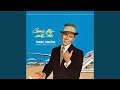
Come Fly with Me by Frank Sinatra — album cover
Come Fly with Me 1958
12 tracks ·

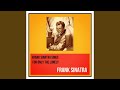
Frank Sinatra Sings for Only the Lonely by Frank Sinatra — album cover
Frank Sinatra Sings for Only the Lonely 1958
12 tracks ·

Love Is a Kick by Frank Sinatra — album cover
Love Is a Kick 1958
12 tracks ·

Come Back to Sorrento by Frank Sinatra — album cover
Come Back to Sorrento 1959
12 tracks ·

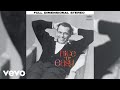
Nice 'n' Easy by Frank Sinatra — album cover
Nice 'n' Easy 1960
12 tracks ·

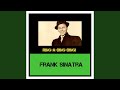
Ring-a-Ding Ding! by Frank Sinatra — album cover
Ring-a-Ding Ding! 1961
12 tracks ·

Come Swing With Me! by Frank Sinatra — album cover
Come Swing With Me! 1961
17 tracks ·

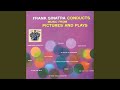
Conducts Music From Pictures and Plays by Frank Sinatra — album cover
Conducts Music From Pictures and Plays 1961
12 tracks ·

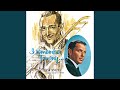
I Remember Tommy by Frank Sinatra — album cover
I Remember Tommy 1961
13 tracks ·

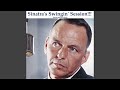
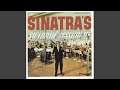
Sinatra's Swingin' Session!!! by Frank Sinatra — album cover
Sinatra's Swingin' Session!!! 1961
15 tracks ·

Swing Along With Me by Frank Sinatra — album cover
Swing Along With Me 1961
12 tracks ·

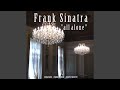
All Alone by Frank Sinatra — album cover
All Alone 1962
11 tracks ·

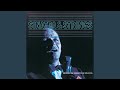
Sinatra & Strings by Frank Sinatra — album cover
Sinatra & Strings 1962
10 tracks ·

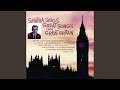
Sinatra Sings Great Songs From Great Britain by Frank Sinatra — album cover
Sinatra Sings Great Songs From Great Britain 1962
10 tracks ·

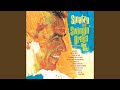
Sinatra and Swingin' Brass by Frank Sinatra — album cover
Sinatra and Swingin' Brass 1962
12 tracks ·

Sinatra's Sinatra by Frank Sinatra — album cover
Sinatra's Sinatra 1963
12 tracks ·

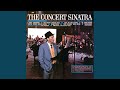
The Concert Sinatra by Frank Sinatra — album cover
The Concert Sinatra 1963
8 tracks ·

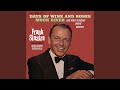
Frank Sinatra Sings Days of Wine and Roses, Moon River and Other Academy Award Winners by Frank Sinatra — album cover
Frank Sinatra Sings Days of Wine and Roses, Moon River and Other Academy Award Winners 1964
11 tracks ·

It Might as Well Be Swing by Frank Sinatra — album cover
It Might as Well Be Swing 1964
11 tracks ·

September of My Years by Frank Sinatra — album cover
September of My Years 1965
13 tracks ·

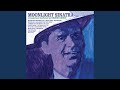
Moonlight Sinatra by Frank Sinatra — album cover
Moonlight Sinatra 1966
10 tracks ·

Strangers in the Night by Frank Sinatra — album cover
Strangers in the Night 1966
11 tracks ·

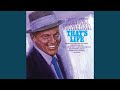
That's Life by Frank Sinatra — album cover
That's Life 1966
10 tracks ·

The World We Knew by Frank Sinatra — album cover
The World We Knew 1967
10 tracks ·

Francis Albert Sinatra & Antonio Carlos Jobim by Frank Sinatra — album cover
Francis Albert Sinatra & Antonio Carlos Jobim 1967
11 tracks ·

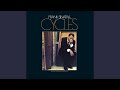
Cycles by Frank Sinatra — album cover
Cycles 1968
10 tracks ·

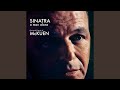
A Man Alone & Other Songs of Rod McKuen by Frank Sinatra — album cover
A Man Alone & Other Songs of Rod McKuen 1969
12 tracks ·

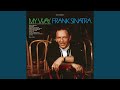
My Way by Frank Sinatra — album cover
My Way 1969
10 tracks ·

Watertown by Frank Sinatra — album cover
Watertown 1970
10 tracks ·

Sinatra & Company by Frank Sinatra — album cover
Sinatra & Company 1971
14 tracks ·

Ol' Blue Eyes Is Back by Frank Sinatra — album cover
Ol' Blue Eyes Is Back 1973
9 tracks ·

Some Nice Things I've Missed by Frank Sinatra — album cover
Some Nice Things I've Missed 1974
10 tracks ·

Trilogy: Past Present Future by Frank Sinatra — album cover
Trilogy: Past Present Future 1980
26 tracks ·

She Shot Me Down by Frank Sinatra — album cover
She Shot Me Down 1981
9 tracks ·

Duets by Frank Sinatra — album cover
Duets 1993
13 tracks ·

Why It Works

Listen to Frank Sinatra's essential discography on Mixtuby — 15 canonical studio albums from In the Wee Small Hours (1955) through My Way (1969). 170+ tracks across the Capitol years and the Reprise era. No ads interrupting the after-midnight melancholy of In the Wee Small Hours. No shuffle breaking the swinging brass of Songs for Swingin' Lovers. Press play and Sinatra's baritone fills your headphones.

Why Mixtuby

Unlike Spotify or Apple Music, Mixtuby doesn't need an account. Open the page, hit play, In the Wee Small Hours of the Morning starts. We organise the catalog chronologically so you can hear the full arc — the concept-album melancholy of the mid-50s, the swinging confidence of Come Fly with Me, the orchestral ballads of Nice 'n' Easy, the Reprise-era masterpieces, and the late-60s triumph of My Way. Fifteen albums, fourteen years, every essential moment.

Biography

Francis Albert Sinatra was born in Hoboken, New Jersey, on December 12, 1915. The son of Italian immigrants. Started singing in saloons for tips as a teenager.

Got his big break with the Tommy Dorsey Orchestra in 1940. By 1943, the bobby soxers at the Paramount Theatre were screaming themselves hoarse. He was the first real pop idol — before Elvis, before the Beatles, there was Sinatra.

The Capitol years (1953-1962) are the artistic peak. Working with arrangers Nelson Riddle, Billy May, and Gordon Jenkins, Sinatra invented the concept album. In the Wee Small Hours (1955) is fifty minutes of 3am heartbreak, every song in the same key, the same tempo, the same emotional register.

Songs for Swingin' Lovers! (1956) is the opposite pole — brass, confidence, finger-snapping swing. These albums changed what an album could be.

The Reprise years (1961-1969) included his own record label, the Rat Pack Vegas era, and the late-60s comebacks — Strangers in the Night (1966), That's Life (1966), My Way (1969). He kept recording into the 90s. When he died on May 14, 1998, the lights of the Empire State Building turned blue.

That's the kind of singer he was.

History

In the Wee Small Hours (April 1955) was the first of the great Capitol concept albums. Nelson Riddle arranged. Sinatra sang every song as if it were 3am and the bourbon had stopped working.

Glad to Be Unhappy. Mood Indigo. Last Night When We Were Young.

It Never Entered My Mind. Sixteen songs about loneliness, performed with the most devastating phrasing ever committed to tape.

Songs for Swingin' Lovers! (March 1956) was the flip side. Billy May's brass arrangements hit like a punch to the chest.

I've Got You Under My Skin is seven minutes of pure swing — the trombone solo alone is worth the price of the album. You Make Me Feel So Young. Too Marvelous for Words.

Pennies from Heaven. This is what confidence sounds like.
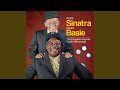
Come Fly with Me (January 1958) was the travel-themed album. The title track, with Billy May's horn arrangements, is impossible to resist. Around the World.

Isle of Capri. Moonlight in Vermont. Blue Hawaii.

Autumn in New York. It's the album that made you want to live in a Boeing 707 with a martini in your hand.

Frank Sinatra Sings for Only the Lonely (September 1958) returned to the concept-album format. It's bleaker than Wee Small Hours. Angel Eyes.

One for My Baby (And One More for the Road). Gone with the Wind. Willow Weep for Me.

Nelson Riddle's arrangements are mournful and spare. Sinatra considered it his finest vocal performance.

My Way (1969) was the late-career statement. Paul Anka wrote the lyrics to a French melody. Sinatra sang it with the perfect balance of defiance and resignation.
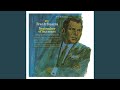
"And now, the end is near." It became his signature song. He reportedly hated it, thought it was self-indulgent.
Audiences disagreed.

Legacy & Influence

Frank Sinatra is the reason we have singers who interpret songs rather than just perform them. Before Sinatra, popular singers were vocalists — they hit the notes, they projected, they entertained. Sinatra treated every song as a three-minute short story.

He bent the rhythm to match the meaning. He held notes to amplify emotion. He cut syllables short to suggest heartbreak.

Every singer who came after — Elvis, Ray Charles, Tony Bennett, even rappers like Jay-Z and Drake — learned from Sinatra's phrasing.

The concept album exists because of Sinatra. In the Wee Small Hours (1955) and Only the Lonely (1958) proved that an album could be a unified artistic statement rather than a collection of singles. Every concept album from Sgt.

Pepper's to Kendrick Lamar's To Pimp a Butterfly traces its lineage to Sinatra and Nelson Riddle in a Capitol studio in 1955.

My Way, New York New York, Fly Me to the Moon, That's Life, Strangers in the Night — these songs are cultural permanent installations. Weddings, funerals, movies, karaoke bars. The Sopranos opens with Woke Up This Morning but it closes with Don't Stop Believin' — and in between, every episode treats Sinatra like the patron saint of New Jersey Italians.

Because he was.

Perfect For

For dinner parties

Songs for Swingin' Lovers and Come Fly with Me set the perfect vintage-cocktail mood.

For late-night melancholy

In the Wee Small Hours is the definitive 3am bourbon-and-heartbreak soundtrack.

For cooking Italian food

Put on Sinatra and suddenly every kitchen becomes a North End trattoria.

For vintage vibes

The Capitol years are peak mid-century cool — perfect for craft cocktails and vinyl nights.

For studying classic songwriting

15 albums of the Great American Songbook performed by its greatest interpreter.

For formal events

Strangers in the Night, Fly Me to the Moon, and My Way are wedding-ready from the first note.

How to Listen

1

Start with In the Wee Small Hours — 16 tracks, one mood, no filler

2

Songs for Swingin' Lovers is the opposite pole — confidence and brass

3

My Way is the karaoke classic — listen to the original to hear how it's actually done

4

Come Fly with Me needs Billy May's brass turned up loud

Ready to listen?

No account needed. Just press play.

Open Mixtuby

🎁 Pick The Perfect Gift For The People You Love

For the friend who knows every B-side. We chose these the way a record-store owner would — with care, a sharp eye, and prices that won't make you feel ripped off. Small gestures, big smiles.

Powered by Amazon

Stay in the Loop

New playlists, features & artist drops. No spam, unsubscribe anytime.

Frank Sinatra — FAQ

What's the best gift for a Frank Sinatra fan?

It depends on the kind of fan. Top picks: The Vinyl Collector: Frank Sinatra - In the Wee Small Hours (Vinyl LP) · The Casual Fan: Frank Sinatra T-Shirt (Official Merch) · The Audiophile: Sony WH-1000XM4 Wireless Headphones · The Decorator: Frank Sinatra Poster — Come Fly with Me. See the Gift Ideas section above for a hand-picked guide by buyer type.

Can I listen to Frank Sinatra free on Mixtuby?

Yes — 15 essential Sinatra studio albums are available free on Mixtuby with no account needed. 170+ tracks from In the Wee Small Hours (1955) to My Way (1969), the canonical Capitol and Reprise years. Press play and it starts.

What is Frank Sinatra's best album?

In the Wee Small Hours (1955) is the critical consensus masterpiece — the first great concept album. Songs for Swingin' Lovers! (1956) is the essential swinging album. Only the Lonely (1958) is Sinatra's personal favourite of his own vocal performances. My Way (1969) has the iconic title track. Start with Wee Small Hours for the depth, Swingin' Lovers for the energy.

Why is Frank Sinatra called the Voice?

Sinatra's phrasing and control were unprecedented in popular music. He could hold notes longer, cut them shorter, bend the rhythm, and place emphasis exactly where the lyric needed it. Every syllable was a choice. His baritone was warm and powerful without ever sounding forced. Tony Bennett, Ella Fitzgerald, and jazz critics universally considered him the greatest male popular singer of the 20th century.

Is Frank Sinatra good for dinner parties?

Absolutely — Sinatra is the definitive cocktail-party soundtrack. Songs for Swingin' Lovers, Come Fly with Me, and Nice 'n' Easy have the perfect balance of energy and sophistication. The Rat Pack Reprise-era albums work well too. Avoid In the Wee Small Hours for upbeat occasions — it's intentionally melancholic and slows the room.

What's the difference between Capitol and Reprise Sinatra?

Capitol (1953-1962) is the artistic peak with Nelson Riddle, Billy May, and Gordon Jenkins arranging. Reprise (1961-1984) was Sinatra's own label and includes the Rat Pack Vegas era, the 1966 comeback (Strangers in the Night, That's Life), and late-career gems (My Way, 1969). Capitol is usually considered the essential era for critics; Reprise includes the bigger pop hits most people recognize.

Mixtuby — Mix. Play. Enjoy.

As an Amazon Associate I earn from qualifying purchases.

App Guide

What is Mixtuby?

A free YouTube music player and mixer. Pick a mood or browse curated playlists, paste your own YouTube links, and enjoy continuous, gapless playback (with crossfade on desktop). On top of the music: karaoke with synced lyrics, A-B loop, and Vibe Mode — the original Mixtuby experience, with relaxing games and sleep tools. Not just music: anything that plays on YouTube works here — full movies, podcasts, DJ mixes. No account required.

Tap Mix. Play. Enjoy. to dive into Vibe Mode.

Quick Start

1

Add music

Search for songs directly, paste YouTube links, or scroll down and tap any curated album card. Preview tracks before adding — tap ▶ to listen, drag the seekbar to seek, then tap + to add to your playlist.

2

Play & customize each track

Press Play, then tap the settings icon on any track in your playlist to set its speed, A-B loop region, and volume. Tap Next to save and move to the next track.

3

Enjoy continuous playback

Tracks flow one into the next with no silence — gapless on phone and tablet, with a smooth crossfade on desktop. Your playlist, position, and settings auto-save right on this device — reopen Mixtuby and you land back on the exact playlist, track, and spot you were last listening to here.

Continue on another device

Start a song on your phone, finish it on your laptop. Sign in with the same account on both — cross-device resume is off for guests.

1

Play on one device

Listen as usual. While music is playing, Mixtuby quietly saves your current track, exact position, and whole queue every few seconds.

2

Open Mixtuby on the other device

A toast slides in at the top: “Resumed from iPhone · 2:14” — showing where you left off. Nothing changes until you choose.

3

You decide — import or dismiss

Two clear choices, never automatic — see below.

Tap the toast to import Tap the toast (the → arrow) and your full queue jumps over and continues from the exact second you left off on the other device.
×
Tap × to keep this device Don't want it? Tap × and whatever is already on this device stays untouched. The toast also closes on its own after 30 seconds if you ignore it.

Search & Preview

The fastest way to build a playlist — search, listen, and add without leaving the page.

Preview a track Tap ▶ on any search result to hear it instantly. The full track plays in the main player with a seekbar on the result row.
DRAG
Seek within preview Drag the seekbar on the previewing track to jump to any point. A time bubble shows the exact position.
+
Add to playlist Tap + to add the track to your playlist. Preview stops automatically. Switch between results freely — only the last tapped plays.
TIP
Quick playlist workflow Search → ▶ preview → + add → search again → repeat. When done, tap Start Mix. Your previewed and added tracks are ready for continuous playback!

Find a Song by Lyrics

Forgot the title but remember a line — or just a few fuzzy words? Open the By Lyrics tab (the magnifier, next to Quick Start and Add Tracks) and let Mixtuby find it for you.

TYPE
Type or paste a line you remember Type a chorus line, paste a whole refrain, or just a few half-remembered words — the box grows to fit. Exact wording, spelling and order don't matter; a close fragment is enough.
🔍
Tap Search Nothing happens as you type — tap the search button when you're ready. Mixtuby checks its own catalog first, and only reaches out to find the song if it needs to.
💡
Not sure? Pick a “Did you mean?” suggestion If your words are too fuzzy to match exactly, Mixtuby AI suggests up to 3 songs it thinks you mean (artist — title, with the real line). Tap the right one and it loads into your player.
Tap a result to play Found it? Tap the matching song and it loads straight into your player, ready to go.

Hidden Gestures

These are not obvious from the UI — learn them to get the most out of Mixtuby.

HOLD
Skip 5s buttons Tap to skip 5 seconds. Hold down to skip 5s every 0.3 seconds continuously until you release.
TAP / HOLD
A: and :B markers Tap the A: or :B label to set it to the current playback time. Long press to type a specific time manually.
TAP
✂ Share a segment When A-B loop is active, a ✂ duration label appears above the progress bar. Tap it to share that exact segment with a link.
HOLD
Theme toggle (moon icon) Tap to switch dark/light. Long press to activate system theme (follows your device settings automatically).
SWIPE
Pull to refresh (mobile) Pull down from the top of the page on mobile to reload.
DRAG
Reorder & resize playlist Drag the handle on any track to reorder. Swipe left to remove. Drag the bottom edge of the playlist to resize its height.
TAP
Grid ↔ carousel layout toggle Tap the layout button next to Quick Start and Saved Playlists to flip the album cards between a vertical grid and a horizontal swipeable carousel. Swipe (or click-drag on desktop) to scroll the carousel. Mixtuby remembers your choice for next time.

Per-Track Settings

Tap the gear icon on any track in your playlist to open its settings. Each track can have its own:

  • Speed — 0.25x to 2x (great for practice or podcasts)
  • A-B Loop — set start/end points, loop count, and what happens after loop ends
  • Volume — override the global volume for this track

Tap Next in the dialog to save and jump to the next track — perfect for setting up an entire playlist quickly.

Settings Panel

Open Settings (gear icon in navbar) to find these options:

Sleep Timer Set a timer (15m to 120m) and music fades out automatically. A countdown badge appears in the player. Tap again to cancel.
Notifications & Reminders Set gentle reminders to come back and play music, even when Mixtuby is closed. Off by default. See the Reminders section below for details.
Now Playing Shows the track name as an in-app toast (and a browser notification) when a new song starts, even with Mixtuby in the background. Stays on your device — off by default.
Crossfade (desktop) & Gapless On desktop, crossfade blends tracks together (1-30s). On iPhone and iPad, playback is gapless — each track goes straight into the next with no overlap. Turn crossfade off any time to force gapless everywhere.
Stars Theme, Video Quality, Audio Mode Enable animated stars background, choose video quality (360p–1080p), or switch to Audio-only mode to save data.

Reminders

Gentle nudges to come back and play music — they arrive even when Mixtuby is closed, in your own local time. Open Settings → Notifications to set them up. No account needed.

1

Turn on a reminder

In Settings → Notifications, flip on the Daily Mix card. The first time, your browser asks to allow notifications — tap Allow. On iPhone you must install Mixtuby to your Home Screen first.

2

Pick the time

Choose when the reminder fires — it arrives at the exact minute you set (17:44 means 17:44), always in your local time, no matter where you travel. Change the time later and you get a fresh reminder the same day.

3

Pick how often

Set the frequency: Daily, Every 3 days, Weekly (pick one weekday), or Custom (tap any days of the week you like).

Tap a reminder and Mixtuby opens right where you left off — same playlist, track, and spot. Turn a reminder off anytime — the device is unsubscribed and stops receiving it.

Sleep Mode tools

Sleep Mode is a calm full-screen mode with relaxing games and tools that play over your music — Karaoke, Rubber Duck, Baby Sleep, Typo, Breathe, Party, Shooter, Constellation, Dropbeat, and Gems. They are all free, no account needed.

🌙
Browse every tool Open the Features page (/features) to see the full list of Sleep Mode tools, each with a short description.
TAP
Play now — jump straight in Tap Play now on any tool and Mixtuby enters Sleep Mode with that tool already open over your music — no setup.
🔗
Share a tool Tap to open a tool's Paused · Settings, then Share this game / tool 🔗. It opens your device's share sheet (or copies the link on desktop) — whoever opens the link lands straight in that tool over their music.

Karaoke — Sing Along

Time-synced lyrics that scroll line by line over whatever is playing. Open Sleep Mode (moon icon) and tap Karaoke — the current line highlights automatically and follows the song. Switch tracks and the lyrics follow. Works on any YouTube song that has lyrics on file; if none exist, karaoke just stays off for that track.

Learn more about Karaoke →

Screen Lock (Child Lock)

Locks the screen so a child or a nightstand phone can't change the track, skip, or exit by accident — the music keeps playing. Screen Lock works with a free account. Tap the 🔒 lock button in the top navbar to lock; it then turns red.

Set or change the PIN in the Player Settings panel (Screen Lock card). Your PIN is saved to your account and follows you across devices. Forgot it? On the keypad, tap "Forgot?" — this signs you out (stops the music); set a new PIN after signing back in.

Rubber Duck (DJ Quack)

Digital debugging companion from The Pragmatic Programmer. Enable in Settings → Rubber Duck. Tap the duck button to summon DJ Quack — 12 skins, animated affirmations, particle effects. Explain your problem to the duck and find the solution yourself.

Learn more about Rubber Duck →

Sleep & Relax

Science-based sleep aid. Enable in Settings → Baby Sleep Game. In Sleep Mode, tap Sleep → choose a playlist (Baby, Rain, 528Hz...) → set timer → Start. Ducks fall slowly, tap to catch with warm particle effects. Screen dims progressively. Based on Cognitive Shuffle, bilateral tapping, and progressive dimming.

Learn more about Sleep & Relax →

Breathe

Guided breathing to fall asleep or calm down. In Sleep Mode, tap the Breathe card, pick a technique, then Start breathing. An animated circle expands as you inhale and shrinks as you exhale, with the phase and a countdown shown inside.

🎯
Pick by how you feel Each technique shows the benefit it's linked to: 4-7-8 to lower cortisol and ease into sleep, Box to reduce stress, Coherent to ease anxiety, Physiological Sigh to lower panic fast, Wim Hof to boost energy, Alternate Nostril to sharpen focus. A relaxation aid, not medical care.
🌬️
6 science-backed techniques Choose 4-7-8, Box, Coherent, Wim Hof, Physiological Sigh, or Alternate Nostril. Tap the info button on a technique to read what it does and the research behind it.
🔊
Sound cues — breathe with eyes closed Tap the Sound button to hear a real breath play as you inhale and exhale, with a short bip marking the end of each phase. Holds stay silent. Now you can follow along without looking at the screen.
⚙️
Pause & quick settings Tap the ⏸ button to pause the exercise, or the ⚙ button for quick settings — toggle the breath Sound, the background Music, and a Mini player so your song stays in reach.

Party Light Show

Turn the screen into a full-screen light show synced to the vibe. In Sleep Mode, tap the Party card to launch 11 effects — including a strobing Blitz mode and a packed Insane mode. Set the intensity, and drop your own custom text in the center with size and color controls. Great as a second-screen visual at a party while your playlist plays.

Rhythm games — Typo & Shooter

Two quick arcade games that play over your music. Open Sleep Mode and tap a card to start — your best score is kept on the leaderboard.

⌨️
Typo — type the falling words Type each word before it reaches the bottom. You're scored on speed and accuracy. When lyrics are available, the words can come from the song you're playing.
🎯
Shooter — tap on the beat Targets fly in to the beat — tap to shoot them before they pass, and chain hits for combo multipliers. Any track becomes a playable level.

Constellation — trace the stars

A calm star-tracing game in Sleep Mode. Open Sleep Mode (moon icon) and tap Constellation, then pick how you want to play. Your rank and collection are kept on this device — no account needed.

HUNT
Hunt — find the hidden shape You get a constellation's name and a tiny FIND THIS poster in the corner. The real stars hide among look-alike decoys — tap the right ones to trace the figure. More decoys appear as your collection grows.
SLEEP
Sleep — calm & no-fail The next star gently breathes — just follow it. No timer, no misses, made for drifting off.
PUZZLE
Puzzle — memorize, then rebuild Watch the lit shape for a moment, then rebuild it from memory once the stars go dark.
Score, ranks & the 88 collection The big number counts every star tap (e.g. “4/4”). Finish clean — exactly the star count in Hunt, no wrong pairs in Puzzle — to earn an XP bonus; a sloppy finish still reveals the constellation but skips the bonus. XP builds a named rank (Stargazer → Cosmographer), and each first-time finish banks toward “X / 88 discovered” with a one-time First light bonus.

At the reveal you see the constellation's name, a short fact, and its myth — the story behind the figure. It holds a little longer so you can read it; tap Skip to jump ahead. Tap any discovered constellation in your collection to re-read its story. Want a harder Hunt? Pause and turn off the Reference poster in Settings to hide the FIND THIS outline.

Dropbeat — blocks on the beat

A falling-blocks game where the pieces drop on the beat. Open Sleep Mode (moon icon) and tap Dropbeat, then pick a vibe to start. Move and rotate the pieces to clear full rows — your best score is kept on the leaderboard.

🎵
Pick a vibe — it sets music & tempo Choose Ambient, Lo-Fi, Hip-Hop, Pop, Electro, or Rock. Your pick sets both the background playlist and how fast the blocks fall — Ambient is the calmest, Rock the fastest.
⚙️
Pause & quick settings Tap ⏸ to pause, then the ⚙ button for quick settings — toggle the game Sound, the background Music, and a Mini player so your song stays in reach.

Gems — match three

A match-3 puzzle over your music. Open Sleep Mode (moon icon) and tap Gems. Swap two neighbouring gems to line up 3 or more of a colour — they pop, the board cascades, and chains build into combos. Match 4 clears a whole line; match 5 makes a colour-bomb.

TIMED
Timed — 60-second score attack Score as high as you can in 60 seconds — your best run is kept on the leaderboard.
ENDLESS
Endless — play with no clock Keep matching for as long as you like, no timer pushing you.
ZEN
Zen — calm & no pressure A relaxed mode for winding down — just swap and watch the gems cascade.

Keyboard Shortcuts (Desktop)

Space Play / Pause
M Mute
← → Seek ±10s
↑ ↓ Volume ±10
N Next track
P Previous track
S Shuffle
R Repeat mode
F Fullscreen
1-200 Jump to track # (type fast for multi-digit)

Example: Gym Playlist

1. Paste your favorite tracks or load a curated album
2. Tap each track's settings icon → set A-B loop on just the chorus → tap Next
3. Hit Play — only choruses play, one after another, back to back. Non-stop energy!
4. Set a sleep timer if listening in bed. Install as app for the best experience.

Works for gym, running, studying, cooking, driving — any activity where you want only the best parts.

Why don't I always see ads?

Ad display is controlled entirely by YouTube — based on the video owner's monetization settings, autoplay behavior, your region, and your YouTube account. Mixtuby does not block ads. They may appear at any time.

How do I listen with the screen locked?

Background playback depends on your device and browser, not just on Mixtuby. On iOS, embedded players pause when the screen locks — YouTube Premium does not change this for third-party sites. On desktop and many Android setups, if you're signed in to YouTube in the same browser, playback can continue in the background. Lock-screen and Bluetooth controls work whenever the browser allows it. For guaranteed screen-off listening, keep the screen on (Focus mode) or use the official YouTube app.

Control from your car, lock screen & Bluetooth

Mixtuby talks to your device's built-in media controls — so you can skip tracks without touching the screen. Perfect for driving, the gym, or pocket listening.

🚗
Car & Bluetooth buttons Steering-wheel, infotainment, and earbud/headphone next/previous and play/pause buttons control Mixtuby directly.
🔒
Title & artwork on display The lock screen and car display show the current track title and artwork, with skip and pause controls.
🎙️
"Hey Google, next track" / Siri Use Google Assistant on Android or Siri Now Playing on iOS to skip tracks by voice. (This is your phone's assistant — Mixtuby has no built-in voice command.)

With the screen on and Mixtuby in the foreground, these controls work for everyone. The real hands-free case — screen off or phone in your pocket — depends on your device and browser, not on Mixtuby (see "How do I listen with the screen locked?" above).

Ask your browser's AI to play music

If your browser has a built-in AI assistant (like Gemini in newer Chrome), Mixtuby teaches it a few tricks. Just ask in plain words — “play some focus music” or “search Mixtuby for Adele” — and the assistant can do it for you, hands-free.

🔎
Search & browse, hands-free Your assistant can search Mixtuby's catalog, list the curated playlists, or check what's trending — and read the results back to you, without you tapping anything.
Start a playlist or a Vibe tool Ask it to play a curated playlist or open a Vibe Mode tool (Karaoke, Breathe, Party…) and it opens Mixtuby right on what you asked for.
NOTE
No AI in your browser? Nothing changes This only works if your own browser has a compatible AI assistant. On every other browser Mixtuby behaves exactly as before — nothing is added, removed, or sent anywhere. The assistant runs inside your browser; Mixtuby just lets it search our own catalog and open links for you.

You're offline

Playback requires an internet connection. Your playlist and position are saved — music will resume automatically when you're back online.