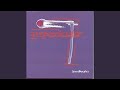

Deep Purple

Updated July 2026 · 23 albums · 221 tracks · Free
Start Play All tracks

That riff. Four notes on a distorted guitar and every human on Earth knows what song it is. Deep Purple didn't just write Smoke on the Water — they helped invent heavy metal, pushed organ-driven rock into uncharted territory, and recorded what many consider the greatest live album ever made. All before most of today's bands were born.

Deep Purple — listen free on Mixtuby

Discography

Explore the complete Deep Purple studio albums. Click any album to see the full track list and listen.
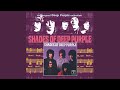
Shades of Deep Purple by Deep Purple — album cover
Shades of Deep Purple 1968
8 tracks · Parlophone

The Book of Taliesyn by Deep Purple — album cover
The Book of Taliesyn 1968
7 tracks · Parlophone

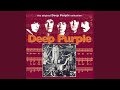
Deep Purple by Deep Purple — album cover
Deep Purple 1969
7 tracks · Parlophone

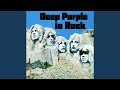
Deep Purple in Rock by Deep Purple — album cover
Deep Purple in Rock 1970
7 tracks · Harvest

Fireball by Deep Purple — album cover
Fireball 1971
7 tracks · Harvest

Machine Head by Deep Purple — album cover
Machine Head 1972
7 tracks · Purple

Who Do We Think We Are by Deep Purple — album cover
Who Do We Think We Are 1973
7 tracks · Purple

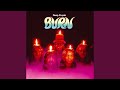
Burn by Deep Purple — album cover
Burn 1974
8 tracks · Purple

Stormbringer by Deep Purple — album cover
Stormbringer 1974
9 tracks · Purple

Come Taste the Band by Deep Purple — album cover
Come Taste the Band 1975
9 tracks · Purple

Perfect Strangers by Deep Purple — album cover
Perfect Strangers 1984
9 tracks · Polydor

The House of Blue Light by Deep Purple — album cover
The House of Blue Light 1987
10 tracks · Polydor

Slaves and Masters by Deep Purple — album cover
Slaves and Masters 1990
9 tracks · RCA

The Battle Rages On… by Deep Purple — album cover
The Battle Rages On… 1993
10 tracks · BMG

Purpendicular by Deep Purple — album cover
Purpendicular 1996
13 tracks · RCA

Abandon by Deep Purple — album cover
Abandon 1998
12 tracks · CMC International

Bananas by Deep Purple — album cover
Bananas 2003
12 tracks · EMI

Rapture of the Deep by Deep Purple — album cover
Rapture of the Deep 2005
11 tracks · earMUSIC

Now What?! by Deep Purple — album cover
Now What?! 2013
11 tracks · earMUSIC

Infinite by Deep Purple — album cover
Infinite 2017
10 tracks · earMUSIC

Whoosh! by Deep Purple — album cover
Whoosh! 2020
13 tracks · earMUSIC

Turning to Crime by Deep Purple — album cover
Turning to Crime 2021
12 tracks · earMUSIC

=1 by Deep Purple — album cover
=1 2024
13 tracks · earMUSIC

Why It Works

Listen to Deep Purple's essential discography on Mixtuby — In Rock, Machine Head, Made in Japan, Burn, Perfect Strangers, and Purpendicular. 46 tracks covering the full arc from the Mark II golden era through the 1984 reunion to the Steve Morse years. No ads interrupting Child in Time's crescendo. No shuffle breaking Made in Japan's flow. Press play and it's 1972 in Osaka.

Why Mixtuby

Unlike Spotify or Apple Music, Mixtuby doesn't need an account. Open the page, hit play, Highway Star starts. We keep Deep Purple's catalog organised chronologically so you can follow the evolution — from the raw power of In Rock, through the precision of Machine Head, to the live fury of Made in Japan, the David Coverdale era of Burn, and the triumphant Blackmore reunion on Perfect Strangers.

Biography

Deep Purple formed in Hertford, England, in 1968. The classic Mark II lineup — Ian Gillan (vocals), Ritchie Blackmore (guitar), Roger Glover (bass), Jon Lord (keyboards), and Ian Paice (drums) — is the one that made history. Five musicians, each a virtuoso, competing with each other on stage every night.

The tension was the fuel.

They started as a psychedelic pop band (Hush was a US hit in 1968), but Deep Purple in Rock (1970) turned everything heavy. Machine Head (1972) — recorded in a corridor next to a burning casino in Montreux, Switzerland — gave the world Smoke on the Water and Highway Star. Made in Japan, recorded live in Tokyo and Osaka in August 1972, captured the band at their most ferocious.

The lineup changed constantly — Mark III with David Coverdale and Glenn Hughes gave us Burn. The band split in 1976, reunited in 1984 for Perfect Strangers, split again, reunited again. Ian Paice is the only member who played every era.

The Rock and Roll Hall of Fame finally inducted them in 2016, and they're still touring with Ian Gillan at age 80.

History

Deep Purple in Rock (June 1970) is where heavy metal begins to take shape. Speed King opens with a Hammond organ assault, Child in Time builds for ten minutes from a whisper to a scream, and the whole album sounds like five men trying to outplay each other in a room that's on fire. The Guinness Book of Records would later certify them as the world's loudest band.

Machine Head (March 1972) is the masterpiece. Recorded at the Grand Hotel in Montreux after a fire at the casino destroyed their original recording venue — which became the subject of Smoke on the Water. Highway Star is the greatest driving song ever written.

Lazy is seven minutes of blues-rock perfection. Every track on this album is a clinic in hard rock.

Made in Japan (December 1972) was supposed to be a contractual obligation. Instead, it became one of the top three live albums in rock history. Highway Star stretches past six minutes, Child in Time past twelve, and Space Truckin' closes the show at nearly twenty minutes.

The audience in Osaka got something nobody could ever reproduce in a studio.

After Gillan and Glover left, David Coverdale joined for Burn (1974) — the title track is possibly the heaviest thing the band ever recorded. The 1984 reunion gave us Perfect Strangers, proof that the Mark II chemistry was still combustible. Purpendicular (1996) with Steve Morse on guitar showed the band could reinvent itself yet again.

Legacy & Influence

Without Deep Purple, there's no heavy metal as we know it. Black Sabbath brought the doom, Led Zeppelin brought the blues, but Deep Purple brought the speed, the precision, and the classical ambition. Ritchie Blackmore's neoclassical guitar style influenced every shredder from Yngwie Malmsteen to Randy Rhoads.

Jon Lord's Hammond organ work created a template that nobody else has matched.

Smoke on the Water's riff is the first thing every guitar student learns. It's the "Happy Birthday" of electric guitar — four notes that define an entire instrument. Highway Star is still the benchmark for what a rock song can do at full speed.

Child in Time remains one of the most emotionally devastating vocal performances ever recorded.

The band sold over 100 million records. They were inducted into the Rock and Roll Hall of Fame in 2016 — decades late, but the music never needed validation. Put on Made in Japan and you'll understand why people who were in that Osaka audience in 1972 still talk about it like it happened yesterday.

Perfect For

For guitar learning

Smoke on the Water is literally the first riff every guitarist learns.

For driving

Highway Star was written on a tour bus — play it on the highway.

For headphone immersion

Child in Time's 10-minute build demands headphones and closed eyes.

For classic rock deep dives

Made in Japan is the ultimate live rock album — no edits, no fixes.

For workout intensity

Speed King and Burn are pure adrenaline at 180 BPM.

For blues-rock exploration

Lazy and Mistreated show Deep Purple's bluesy side.

How to Listen

1

Start with Machine Head — it's only 7 tracks and every one is a masterclass

2

Made in Japan is the live experience — play it front to back with good headphones

3

Child in Time (from In Rock) is a 10-minute journey — don't skip ahead

4

Burn's title track has David Coverdale on vocals — a completely different energy from Gillan

Ready to listen?

No account needed. Just press play.

Open Mixtuby

🎁 Pick The Perfect Gift For The People You Love

For the friend who knows every B-side. We chose these the way a record-store owner would — with care, a sharp eye, and prices that won't make you feel ripped off. Small gestures, big smiles.

Powered by Amazon

Stay in the Loop

New playlists, features & artist drops. No spam, unsubscribe anytime.

Deep Purple — FAQ

What's the best gift for a Deep Purple fan?

It depends on the kind of fan. Top picks: The Vinyl Collector: Deep Purple - Machine Head (Vinyl LP) · The Casual Fan: Deep Purple T-Shirt (Official Merch) · The Audiophile: Sony WH-1000XM4 Wireless Headphones · The Decorator: Deep Purple Poster — Machine Head. See the Gift Ideas section above for a hand-picked guide by buyer type.

Can I listen to Deep Purple free on Mixtuby?

Yes — Deep Purple's essential discography is free on Mixtuby with no account needed. Six albums (In Rock, Machine Head, Made in Japan, Burn, Perfect Strangers, Purpendicular) with 46 tracks. Press play and it starts immediately.

What is Deep Purple's best album?

Machine Head (1972) is the consensus masterpiece — Smoke on the Water, Highway Star, Lazy, all seven tracks are essential. Made in Japan is arguably even better — the same songs performed live with an intensity the studio couldn't capture. Deep Purple in Rock (1970) is the rawer, heavier predecessor. Start with Machine Head if you're new.

What is Smoke on the Water about?

Smoke on the Water describes a real event. In December 1971, Deep Purple were in Montreux, Switzerland, to record Machine Head at the Montreux Casino. During a Frank Zappa concert, someone fired a flare gun that set the casino on fire. The band watched it burn from across Lake Geneva — "smoke on the water, a fire in the sky." They relocated to the Grand Hotel corridor to record the album. The riff was written the next day.

Who are the members of Deep Purple?

The classic Mark II lineup (1969-1973) was Ian Gillan (vocals), Ritchie Blackmore (guitar), Roger Glover (bass), Jon Lord (keyboards), and Ian Paice (drums). The current lineup features Gillan, Glover, Paice, Don Airey (keyboards, replacing the late Jon Lord), and Simon McBride (guitar, replacing Steve Morse). Ian Paice is the only member who has played in every Deep Purple lineup since 1968.

Is Deep Purple heavy metal or hard rock?

Both and neither — Deep Purple existed before those categories were firmly defined. In Rock and Machine Head are foundational to heavy metal, but the band's use of Hammond organ, blues structures, and classical influences makes them broader than any single genre. Think of them as the bridge between Led Zeppelin's blues-rock and Black Sabbath's doom metal.

Is Deep Purple good for focus or coding?

Surprisingly yes. The longer instrumental passages — Lazy, Child in Time's middle section, Space Truckin' on Made in Japan — are hypnotic enough for deep work. Machine Head is only 37 minutes and works as a complete focus session. Avoid the live album if you need background music — Made in Japan demands full attention.

When was Deep Purple inducted into the Rock and Roll Hall of Fame?

Deep Purple was inducted into the Rock and Roll Hall of Fame in 2016, after years of controversy over their exclusion. All eight living members from all major lineups were inducted. Lars Ulrich of Metallica gave the induction speech, calling them "the greatest hard rock band of all time."

Mixtuby — Mix. Play. Enjoy.

As an Amazon Associate I earn from qualifying purchases.

App Guide

What is Mixtuby?

A free YouTube music player and mixer. Pick a mood or browse curated playlists, paste your own YouTube links, and enjoy continuous, gapless playback (with crossfade on desktop). On top of the music: karaoke with synced lyrics, A-B loop, and Vibe Mode — the original Mixtuby experience, with relaxing games and sleep tools. Not just music: anything that plays on YouTube works here — full movies, podcasts, DJ mixes. No account required.

Tap Mix. Play. Enjoy. to dive into Vibe Mode.

Quick Start

1

Add music

Search for songs directly, paste YouTube links, or scroll down and tap any curated album card. Preview tracks before adding — tap ▶ to listen, drag the seekbar to seek, then tap + to add to your playlist.

2

Play & customize each track

Press Play, then tap the settings icon on any track in your playlist to set its speed, A-B loop region, and volume. Tap Next to save and move to the next track.

3

Enjoy continuous playback

Tracks flow one into the next with no silence — gapless on phone and tablet, with a smooth crossfade on desktop. Your playlist, position, and settings auto-save right on this device — reopen Mixtuby and you land back on the exact playlist, track, and spot you were last listening to here.

Continue on another device

Start a song on your phone, finish it on your laptop. Sign in with the same account on both — cross-device resume is off for guests.

1

Play on one device

Listen as usual. While music is playing, Mixtuby quietly saves your current track, exact position, and whole queue every few seconds.

2

Open Mixtuby on the other device

A toast slides in at the top: “Resumed from iPhone · 2:14” — showing where you left off. Nothing changes until you choose.

3

You decide — import or dismiss

Two clear choices, never automatic — see below.

Tap the toast to import Tap the toast (the → arrow) and your full queue jumps over and continues from the exact second you left off on the other device.
×
Tap × to keep this device Don't want it? Tap × and whatever is already on this device stays untouched. The toast also closes on its own after 30 seconds if you ignore it.

Search & Preview

The fastest way to build a playlist — search, listen, and add without leaving the page.

Preview a track Tap ▶ on any search result to hear it instantly. The full track plays in the main player with a seekbar on the result row.
DRAG
Seek within preview Drag the seekbar on the previewing track to jump to any point. A time bubble shows the exact position.
+
Add to playlist Tap + to add the track to your playlist. Preview stops automatically. Switch between results freely — only the last tapped plays.
TIP
Quick playlist workflow Search → ▶ preview → + add → search again → repeat. When done, tap Start Mix. Your previewed and added tracks are ready for continuous playback!

Find a Song by Lyrics

Forgot the title but remember a line — or just a few fuzzy words? Open the By Lyrics tab (the magnifier, next to Quick Start and Add Tracks) and let Mixtuby find it for you.

TYPE
Type or paste a line you remember Type a chorus line, paste a whole refrain, or just a few half-remembered words — the box grows to fit. Exact wording, spelling and order don't matter; a close fragment is enough.
🔍
Tap Search Nothing happens as you type — tap the search button when you're ready. Mixtuby checks its own catalog first, and only reaches out to find the song if it needs to.
💡
Not sure? Pick a “Did you mean?” suggestion If your words are too fuzzy to match exactly, Mixtuby AI suggests up to 3 songs it thinks you mean (artist — title, with the real line). Tap the right one and it loads into your player.
Tap a result to play Found it? Tap the matching song and it loads straight into your player, ready to go.

Hidden Gestures

These are not obvious from the UI — learn them to get the most out of Mixtuby.

HOLD
Skip 5s buttons Tap to skip 5 seconds. Hold down to skip 5s every 0.3 seconds continuously until you release.
TAP / HOLD
A: and :B markers Tap the A: or :B label to set it to the current playback time. Long press to type a specific time manually.
TAP
✂ Share a segment When A-B loop is active, a ✂ duration label appears above the progress bar. Tap it to share that exact segment with a link.
HOLD
Theme toggle (moon icon) Tap to switch dark/light. Long press to activate system theme (follows your device settings automatically).
SWIPE
Pull to refresh (mobile) Pull down from the top of the page on mobile to reload.
DRAG
Reorder & resize playlist Drag the handle on any track to reorder. Swipe left to remove. Drag the bottom edge of the playlist to resize its height.
TAP
Grid ↔ carousel layout toggle Tap the layout button next to Quick Start and Saved Playlists to flip the album cards between a vertical grid and a horizontal swipeable carousel. Swipe (or click-drag on desktop) to scroll the carousel. Mixtuby remembers your choice for next time.

Per-Track Settings

Tap the gear icon on any track in your playlist to open its settings. Each track can have its own:

  • Speed — 0.25x to 2x (great for practice or podcasts)
  • A-B Loop — set start/end points, loop count, and what happens after loop ends
  • Volume — override the global volume for this track

Tap Next in the dialog to save and jump to the next track — perfect for setting up an entire playlist quickly.

Settings Panel

Open Settings (gear icon in navbar) to find these options:

Sleep Timer Set a timer (15m to 120m) and music fades out automatically. A countdown badge appears in the player. Tap again to cancel.
Notifications & Reminders Set gentle reminders to come back and play music, even when Mixtuby is closed. Off by default. See the Reminders section below for details.
Now Playing Shows the track name as an in-app toast (and a browser notification) when a new song starts, even with Mixtuby in the background. Stays on your device — off by default.
Crossfade (desktop) & Gapless On desktop, crossfade blends tracks together (1-30s). On iPhone and iPad, playback is gapless — each track goes straight into the next with no overlap. Turn crossfade off any time to force gapless everywhere.
Stars Theme, Video Quality, Audio Mode Enable animated stars background, choose video quality (360p–1080p), or switch to Audio-only mode to save data.

Reminders

Gentle nudges to come back and play music — they arrive even when Mixtuby is closed, in your own local time. Open Settings → Notifications to set them up. No account needed.

1

Turn on a reminder

In Settings → Notifications, flip on the Daily Mix card. The first time, your browser asks to allow notifications — tap Allow. On iPhone you must install Mixtuby to your Home Screen first.

2

Pick the time

Choose when the reminder fires — it arrives at the exact minute you set (17:44 means 17:44), always in your local time, no matter where you travel. Change the time later and you get a fresh reminder the same day.

3

Pick how often

Set the frequency: Daily, Every 3 days, Weekly (pick one weekday), or Custom (tap any days of the week you like).

Tap a reminder and Mixtuby opens right where you left off — same playlist, track, and spot. Turn a reminder off anytime — the device is unsubscribed and stops receiving it.

Sleep Mode tools

Sleep Mode is a calm full-screen mode with relaxing games and tools that play over your music — Karaoke, Rubber Duck, Baby Sleep, Typo, Breathe, Party, Shooter, Constellation, Dropbeat, and Gems. They are all free, no account needed.

🌙
Browse every tool Open the Features page (/features) to see the full list of Sleep Mode tools, each with a short description.
TAP
Play now — jump straight in Tap Play now on any tool and Mixtuby enters Sleep Mode with that tool already open over your music — no setup.
🔗
Share a tool Tap to open a tool's Paused · Settings, then Share this game / tool 🔗. It opens your device's share sheet (or copies the link on desktop) — whoever opens the link lands straight in that tool over their music.

Karaoke — Sing Along

Time-synced lyrics that scroll line by line over whatever is playing. Open Sleep Mode (moon icon) and tap Karaoke — the current line highlights automatically and follows the song. Switch tracks and the lyrics follow. Works on any YouTube song that has lyrics on file; if none exist, karaoke just stays off for that track.

Learn more about Karaoke →

Screen Lock (Child Lock)

Locks the screen so a child or a nightstand phone can't change the track, skip, or exit by accident — the music keeps playing. Screen Lock works with a free account. Tap the 🔒 lock button in the top navbar to lock; it then turns red.

Set or change the PIN in the Player Settings panel (Screen Lock card). Your PIN is saved to your account and follows you across devices. Forgot it? On the keypad, tap "Forgot?" — this signs you out (stops the music); set a new PIN after signing back in.

Rubber Duck (DJ Quack)

Digital debugging companion from The Pragmatic Programmer. Enable in Settings → Rubber Duck. Tap the duck button to summon DJ Quack — 12 skins, animated affirmations, particle effects. Explain your problem to the duck and find the solution yourself.

Learn more about Rubber Duck →

Sleep & Relax

Science-based sleep aid. Enable in Settings → Baby Sleep Game. In Sleep Mode, tap Sleep → choose a playlist (Baby, Rain, 528Hz...) → set timer → Start. Ducks fall slowly, tap to catch with warm particle effects. Screen dims progressively. Based on Cognitive Shuffle, bilateral tapping, and progressive dimming.

Learn more about Sleep & Relax →

Breathe

Guided breathing to fall asleep or calm down. In Sleep Mode, tap the Breathe card, pick a technique, then Start breathing. An animated circle expands as you inhale and shrinks as you exhale, with the phase and a countdown shown inside.

🎯
Pick by how you feel Each technique shows the benefit it's linked to: 4-7-8 to lower cortisol and ease into sleep, Box to reduce stress, Coherent to ease anxiety, Physiological Sigh to lower panic fast, Wim Hof to boost energy, Alternate Nostril to sharpen focus. A relaxation aid, not medical care.
🌬️
6 science-backed techniques Choose 4-7-8, Box, Coherent, Wim Hof, Physiological Sigh, or Alternate Nostril. Tap the info button on a technique to read what it does and the research behind it.
🔊
Sound cues — breathe with eyes closed Tap the Sound button to hear a real breath play as you inhale and exhale, with a short bip marking the end of each phase. Holds stay silent. Now you can follow along without looking at the screen.
⚙️
Pause & quick settings Tap the ⏸ button to pause the exercise, or the ⚙ button for quick settings — toggle the breath Sound, the background Music, and a Mini player so your song stays in reach.

Party Light Show

Turn the screen into a full-screen light show synced to the vibe. In Sleep Mode, tap the Party card to launch 11 effects — including a strobing Blitz mode and a packed Insane mode. Set the intensity, and drop your own custom text in the center with size and color controls. Great as a second-screen visual at a party while your playlist plays.

Rhythm games — Typo & Shooter

Two quick arcade games that play over your music. Open Sleep Mode and tap a card to start — your best score is kept on the leaderboard.

⌨️
Typo — type the falling words Type each word before it reaches the bottom. You're scored on speed and accuracy. When lyrics are available, the words can come from the song you're playing.
🎯
Shooter — tap on the beat Targets fly in to the beat — tap to shoot them before they pass, and chain hits for combo multipliers. Any track becomes a playable level.

Constellation — trace the stars

A calm star-tracing game in Sleep Mode. Open Sleep Mode (moon icon) and tap Constellation, then pick how you want to play. Your rank and collection are kept on this device — no account needed.

HUNT
Hunt — find the hidden shape You get a constellation's name and a tiny FIND THIS poster in the corner. The real stars hide among look-alike decoys — tap the right ones to trace the figure. More decoys appear as your collection grows.
SLEEP
Sleep — calm & no-fail The next star gently breathes — just follow it. No timer, no misses, made for drifting off.
PUZZLE
Puzzle — memorize, then rebuild Watch the lit shape for a moment, then rebuild it from memory once the stars go dark.
Score, ranks & the 88 collection The big number counts every star tap (e.g. “4/4”). Finish clean — exactly the star count in Hunt, no wrong pairs in Puzzle — to earn an XP bonus; a sloppy finish still reveals the constellation but skips the bonus. XP builds a named rank (Stargazer → Cosmographer), and each first-time finish banks toward “X / 88 discovered” with a one-time First light bonus.

At the reveal you see the constellation's name, a short fact, and its myth — the story behind the figure. It holds a little longer so you can read it; tap Skip to jump ahead. Tap any discovered constellation in your collection to re-read its story. Want a harder Hunt? Pause and turn off the Reference poster in Settings to hide the FIND THIS outline.

Dropbeat — blocks on the beat

A falling-blocks game where the pieces drop on the beat. Open Sleep Mode (moon icon) and tap Dropbeat, then pick a vibe to start. Move and rotate the pieces to clear full rows — your best score is kept on the leaderboard.

🎵
Pick a vibe — it sets music & tempo Choose Ambient, Lo-Fi, Hip-Hop, Pop, Electro, or Rock. Your pick sets both the background playlist and how fast the blocks fall — Ambient is the calmest, Rock the fastest.
⚙️
Pause & quick settings Tap ⏸ to pause, then the ⚙ button for quick settings — toggle the game Sound, the background Music, and a Mini player so your song stays in reach.

Gems — match three

A match-3 puzzle over your music. Open Sleep Mode (moon icon) and tap Gems. Swap two neighbouring gems to line up 3 or more of a colour — they pop, the board cascades, and chains build into combos. Match 4 clears a whole line; match 5 makes a colour-bomb.

TIMED
Timed — 60-second score attack Score as high as you can in 60 seconds — your best run is kept on the leaderboard.
ENDLESS
Endless — play with no clock Keep matching for as long as you like, no timer pushing you.
ZEN
Zen — calm & no pressure A relaxed mode for winding down — just swap and watch the gems cascade.

Keyboard Shortcuts (Desktop)

Space Play / Pause
M Mute
← → Seek ±10s
↑ ↓ Volume ±10
N Next track
P Previous track
S Shuffle
R Repeat mode
F Fullscreen
1-200 Jump to track # (type fast for multi-digit)

Example: Gym Playlist

1. Paste your favorite tracks or load a curated album
2. Tap each track's settings icon → set A-B loop on just the chorus → tap Next
3. Hit Play — only choruses play, one after another, back to back. Non-stop energy!
4. Set a sleep timer if listening in bed. Install as app for the best experience.

Works for gym, running, studying, cooking, driving — any activity where you want only the best parts.

Why don't I always see ads?

Ad display is controlled entirely by YouTube — based on the video owner's monetization settings, autoplay behavior, your region, and your YouTube account. Mixtuby does not block ads. They may appear at any time.

How do I listen with the screen locked?

Background playback depends on your device and browser, not just on Mixtuby. On iOS, embedded players pause when the screen locks — YouTube Premium does not change this for third-party sites. On desktop and many Android setups, if you're signed in to YouTube in the same browser, playback can continue in the background. Lock-screen and Bluetooth controls work whenever the browser allows it. For guaranteed screen-off listening, keep the screen on (Focus mode) or use the official YouTube app.

Control from your car, lock screen & Bluetooth

Mixtuby talks to your device's built-in media controls — so you can skip tracks without touching the screen. Perfect for driving, the gym, or pocket listening.

🚗
Car & Bluetooth buttons Steering-wheel, infotainment, and earbud/headphone next/previous and play/pause buttons control Mixtuby directly.
🔒
Title & artwork on display The lock screen and car display show the current track title and artwork, with skip and pause controls.
🎙️
"Hey Google, next track" / Siri Use Google Assistant on Android or Siri Now Playing on iOS to skip tracks by voice. (This is your phone's assistant — Mixtuby has no built-in voice command.)

With the screen on and Mixtuby in the foreground, these controls work for everyone. The real hands-free case — screen off or phone in your pocket — depends on your device and browser, not on Mixtuby (see "How do I listen with the screen locked?" above).

Ask your browser's AI to play music

If your browser has a built-in AI assistant (like Gemini in newer Chrome), Mixtuby teaches it a few tricks. Just ask in plain words — “play some focus music” or “search Mixtuby for Adele” — and the assistant can do it for you, hands-free.

🔎
Search & browse, hands-free Your assistant can search Mixtuby's catalog, list the curated playlists, or check what's trending — and read the results back to you, without you tapping anything.
Start a playlist or a Vibe tool Ask it to play a curated playlist or open a Vibe Mode tool (Karaoke, Breathe, Party…) and it opens Mixtuby right on what you asked for.
NOTE
No AI in your browser? Nothing changes This only works if your own browser has a compatible AI assistant. On every other browser Mixtuby behaves exactly as before — nothing is added, removed, or sent anywhere. The assistant runs inside your browser; Mixtuby just lets it search our own catalog and open links for you.

You're offline

Playback requires an internet connection. Your playlist and position are saved — music will resume automatically when you're back online.