

The Rolling Stones — 60 Years of Rock & Roll
There's a reason The Rolling Stones are still filling stadiums after six decades. It's not nostalgia — it's because the riffs haven't aged a day. From the dirty blues of Beggars Banquet to the punk-fueled energy of Some Girls, this is a band that never stopped reinventing itself while somehow always sounding unmistakably like the Stones.
Discography
Explore the complete The Rolling Stones studio albums. Click any album to see the full track list and listen.
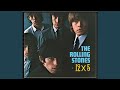
Second US album. Around and Around, It's All Over Now, Time Is on My Side. The Stones perfecting their R&B sound.
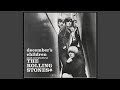
US album. She Said Yeah, Get Off of My Cloud, As Tears Go By. The Stones bridging their UK and US identities.
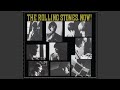
US album. Heart of Stone, Little Red Rooster, Mona. Capturing the Stones at their most energetic and raw.
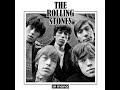
First all-originals album. Under My Thumb, Paint It Black, Mother's Little Helper. The Stones find their songwriting voice.

Ruby Tuesday, Yesterday's Papers, Connection. The Stones experiment with music hall, baroque pop, and psychedelia. NOTE: UK track 7 'Please Go Home' has no available YouTube video; included 11/12 UK tracks.

She's a Rainbow, 2000 Light Years From Home, Citadel. The Stones' psychedelic answer to Sgt. Pepper — kaleidoscopic and uncommercial.
Sympathy for the Devil, Street Fighting Man, No Expectations. The golden era begins — raw, political, dangerous.
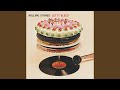
Gimme Shelter, You Can't Always Get What You Want, Midnight Rambler. The soundtrack to the end of the sixties.

Brown Sugar, Wild Horses, Moonlight Mile. The Warhol zipper cover. Their most perfect album.

Tumbling Dice, Happy, Rocks Off. Recorded in a French basement — 18 tracks of swampy, glorious chaos.

Angie, Dancing with Mr. D, Winter. Darker and slower — the ballad that launched a thousand lighters.
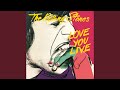
It’s Only Rock ’n Roll, Time Waits for No One, Fingerprint File. Mick Taylor's last album — pure swagger.
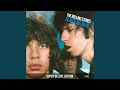
Hot Stuff, Memory Motel, Fool to Cry. The audition album — new guitarists tried out while Ron Wood joined the band.
Miss You, Beast of Burden, Shattered. Punk and disco hit — the Stones hit back harder.

Dance, Emotional Rescue, She's So Cold. Disco and funk influence — their most experimental post-Exile record.
Start Me Up, Waiting on a Friend, Slave. The riff that launched a stadium tour and never stopped.

Undercover of the Night, She Was Hot, Too Much Blood. Dark and experimental — their most explicitly political album.
Harlem Shuffle, One Hit (to the Body), Dirty Work. Jagger-Richards feud peaks — the most troubled Stones album.

Mixed Emotions, Rock and a Hard Place, Sad Sad Sad. The reunion album — Jagger and Richards reconcile and return harder than ever.

Love Is Strong, You Got Me Rocking, Out of Tears. First post-Wyman album — 15 tracks of classic Stones rolling once more.
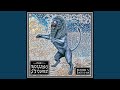
Anybody Seen My Baby?, Saint of Me, Flip the Switch. Producer collaboration with Don Was and the Dust Brothers — modernised Stones.

Rough Justice, Streets of Love, Rain Fall Down. 16 tracks of lean, confident Stones — their best album in decades.
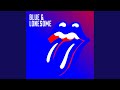
Just Your Fool, Commit a Crime, Blue and Lonesome. All-covers Chicago blues album — pure, raw, and recorded in just three days.

Angry, Sweet Sounds of Heaven, Bite My Head Off. First album in 18 years — proof they still rock at 80.
Why It Works
Mixtuby gives you 114 Rolling Stones tracks across 10 essential albums — from 1966's Aftermath to 2023's Hackney Diamonds. No ads interrupting Gimme Shelter's opening. No account wall between you and Wild Horses. Just press play and let six decades of rock & roll wash over you.
Why Mixtuby
YouTube is great for one-off videos, but try listening to Exile on Main St. front-to-back and you'll hit three ads before Tumbling Dice. Mixtuby strips all that away. Clean playback, album order preserved, Vibe Mode between tracks (crossfade on desktop). It's how the Stones were meant to be heard — loud, uninterrupted, and in sequence.
Biography
The Rolling Stones formed in London in 1962 when Mick Jagger and Keith Richards — childhood friends from Dartford — reconnected over a shared obsession with American blues. With Brian Jones on guitar, Bill Wyman on bass, and Charlie Watts on drums, they became the dangerous alternative to The Beatles: rougher, louder, and unapologetically rebellious.
The Jagger-Richards songwriting partnership produced some of the most iconic songs in rock history. (I Can't Get No) Satisfaction in 1965 turned them from a blues cover band into the biggest rock act on the planet. From there, the hits never stopped — Paint It Black, Sympathy for the Devil, Gimme Shelter, Brown Sugar, Start Me Up.
Each decade brought a new classic.
What makes the Stones unique isn't just longevity — it's that they kept making records that matter. Hackney Diamonds in 2023, their first album in 18 years, debuted at #1 in 20 countries. Mick Jagger was 80 years old.
Keith Richards was 79. The riffs didn't care.
History
The 1968-1972 run is widely considered the greatest stretch in rock history. Beggars Banquet introduced a rawer, blues-rooted sound. Let It Bleed gave us Gimme Shelter — arguably the greatest opening track ever recorded.
Sticky Fingers was pure perfection from Brown Sugar to Moonlight Mile. And Exile on Main St. — recorded in a sweltering basement in the South of France — remains the ultimate rock & roll double album.
The Stones survived the punk era by absorbing it. Some Girls (1978) is lean, mean, and furious — Miss You borrowed from disco while Beast of Burden proved they could still write devastating ballads. Tattoo You (1981) launched the biggest stadium tour of the decade on the back of Start Me Up, a riff so simple and so perfect that it became the sound of the 1980s.
After Charlie Watts' death in August 2021, many assumed the Stones were finished. Instead, with Steve Jordan on drums, they released Hackney Diamonds — a record that sounds like a band with nothing left to prove and everything left to play. Angry is vintage Stones swagger.
Sweet Sounds of Heaven, featuring Lady Gaga, is the kind of epic the Stones have always done best.
Legacy & Influence
The Rolling Stones are the highest-grossing touring act in history. They've sold over 240 million records. They were inducted into the Rock and Roll Hall of Fame in 1989.
But numbers don't capture what the Stones actually are — they're the sound of rock & roll itself. Every garage band that ever plugged in a guitar owes something to Keith Richards' open-G tuning.
Put on Exile on Main St. at a party and watch what happens. Put on Let It Bleed alone at midnight and feel it differently.
That's the Stones' gift — music that works in every context, at every volume, in every decade. Sixty years in, and Satisfaction still hits exactly as hard as it did in 1965.
Perfect For
Road Trip Soundtrack
Brown Sugar into Tumbling Dice into Start Me Up — the Stones are the ultimate driving music.
Party Energy
Miss You, Shattered, and Rocks Off keep any party moving without ever hitting a dull moment.
Late Night Listening
Moonlight Mile, Wild Horses, Angie — the Stones' ballads hit different after midnight.
Blues Deep Dive
Love in Vain, Shake Your Hips, Prodigal Son — trace the blues roots that built rock & roll.
Vinyl Session
Sticky Fingers was designed for vinyl. Put it on, side by side, the way Warhol intended.
Guitar Practice
Keith Richards' riffs are a masterclass in economy. Learn Brown Sugar, Start Me Up, and Satisfaction — you'll understand open-G tuning forever.
How to Listen
Start with the Greatest Hits playlist for a career-spanning overview
Listen to Sticky Fingers front-to-back — it's designed as one continuous experience
Exile on Main St. rewards repeat listens — tracks you skip first time become favorites
🎁 Pick The Perfect Gift For The People You Love
For the friend who knows every B-side. We chose these the way a record-store owner would — with care, a sharp eye, and prices that won't make you feel ripped off. Small gestures, big smiles.
The Vinyl Lifer Combo
Pressing, poster, t-shirt — the kit that says you actually understand the album.
The Long-Listen Setup
Headphones, turntable, a shelf they've earned. For the listener who treats Side B like a separate event.
Powered by Amazon
🛒 Shop The Rolling Stones — 60 Years of Rock & Roll
Hand-picked vinyl, merch & gear for fans.

Rolling Stones Hot Rocks Vinyl

Rolling Stones Tongue Logo T-Shirt
Rolling Stones Hot Rocks Vinyl

Audio-Technica AT-LP60X Turntable

Rolling Stones Concert Poster

Exile on Main St. CD
Powered by Amazon
The Rolling Stones — 60 Years of Rock & Roll — FAQ
What's the best gift for a The Rolling Stones — 60 Years of Rock & Roll fan?
It depends on the kind of fan. Top picks: The Vinyl Collector: Rolling Stones Hot Rocks Vinyl · The Casual Fan: Rolling Stones Tongue Logo T-Shirt · The Audiophile: Audio-Technica AT-LP60X Turntable · The Decorator: Rolling Stones Concert Poster. See the Gift Ideas section above for a hand-picked guide by buyer type.
What are the essential Stones albums to start with?
Sticky Fingers (1971), Exile on Main St. (1972), and Let It Bleed (1969). That three-album run is arguably the greatest peak any rock band has ever had. Start anywhere — you'll find another favorite.
Does Mixtuby include both early and later Stones?
Yes — from the R&B covers of the early 60s through the blues-rock peak of the early 70s, into Some Girls and beyond. The full arc of the world's greatest rock band.
What's the most underrated Stones song?
Moonlight Mile. The closing track of Sticky Fingers. It's the Stones at their most vulnerable — piano, strings, Mick's exhausted vocal. Most people skip it. They shouldn't.
Are the Stones better than The Beatles?
Different. The Beatles perfected the studio. The Stones perfected the swagger. Jagger himself has said they could never match Sgt. Pepper — but then they made Exile on Main St. and nobody else could either.
Is this good for a party playlist?
Absolutely. Start Me Up, Jumpin' Jack Flash, Miss You — built for loud rooms. Hit the Greatest Hits playlist and let it run.
Why is Keith Richards' guitar style so distinctive?
Open-G tuning with the low string removed, played with five strings instead of six. Every riff you know from Brown Sugar to Start Me Up lives in that tuning. Nobody else plays guitar quite like Keef.
You Might Also Like
Best for Your Mood
Explore More
—