
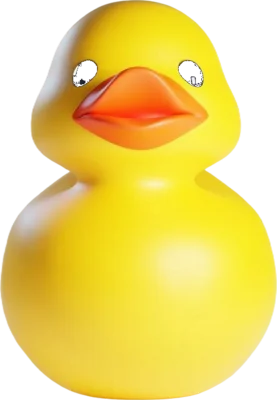
Baby Sleep Game
Baby Sleep is a slow game for the last minutes before sleep. Little ducks drift down the screen. Tap one and it melts into warm sparks, leaves a soft word like “rest” or “drift” behind, and the phone gives the smallest buzz. That is the whole game. No points to chase, no levels, no losing. While you play, the screen gets darker and the ducks come less often, until the timer ends, the screen goes dark and the sleep music you picked keeps playing. Play it with a child at bedtime, or on your own when your head won’t switch off. Free, no account, and nothing leaves your phone.
How It Works
-
1
Open Baby Sleep
Tap the button on this page. Mixtuby opens in Vibe Mode with Baby Sleep ready.
-
2
Pick a time and a sound
5, 10, 15 or 20 minutes. Then a Quick Playlist — Sleep, Baby, Rain, Forest, 528Hz or Meditation — or keep the music you already have on.
-
3
Tap Start
Ducks begin to fall, slowly. Turn on Colorful ducks, ducks that appear anywhere on the screen, a tap sound, or change how fast they fall, if you like.
-
4
Catch the ones you want
Each tap turns a duck into sparks and a calm word. Miss one and it simply drifts away. There is nothing to win.
-
5
Let the screen go dark
When the time is up the screen says “Close your eyes — the music keeps playing”, then fades out. The music goes on until you stop it, or until a Sleep Timer stops it.
What Happens on the Screen
Ducks fall slowly
From the start
A new duck every few seconds at first, never more than eight on the screen. You choose how fast they fall.
A tap turns a duck into sparks
On every tap
Warm golden sparks, a tiny buzz on phones that can vibrate, and a soft sound if you switched it on. A small counter under the timer counts the ducks you caught.
A calm word floats up
On every catch
“sleep”, “let go”, “rest”, “calm”, “drift”, “soft”, “shhh”, “heavy”, “slow”, one after another. Easy words for a busy head to hold instead of the day.
The screen gets darker
The whole time
The dark layer grows slowly from nothing to almost black by the end of the timer, so the light of the screen fades with you.
Fewer ducks, less often
Toward the end
Near the end a duck comes only every eight seconds or so, and no more than three are on screen. The game slows down before it stops.
Why Slow, Simple Tapping Helps You Wind Down
The calm words come from an idea called the cognitive shuffle, proposed by Luc Beaudoin, a cognitive scientist at Simon Fraser University in Canada. When you can’t sleep, your mind often keeps solving problems. Beaudoin suggests giving it a stream of simple, unrelated, harmless things to picture instead, because a mind that is drifting between easy images is closer to the way it behaves as we fall asleep. Baby Sleep does a light version of that: one soft word at a time, each tied to a slow tap. The research on the shuffle is still early, so think of it as a gentle habit, not a treatment.
The dimming is plain common sense backed by sleep researchers: bright screens late in the evening make it harder to feel sleepy, so the game makes its own screen darker as it goes and ends on black.
A note for parents of babies: paediatric guidance, including the American Academy of Pediatrics, advises keeping screens away from children under about 18 months. For a baby, play the music and keep the phone out of sight. The game itself is for toddlers old enough to tap, with you beside them, and for grown-ups.
Pairs Well With
Real Moments to Use It
The last ten minutes before lights out
Your child is in bed but still wide awake. A few slow minutes of catching ducks together, the screen dimming, the lullabies already playing.
10 min · Baby playlist
A head full of the day
You keep going over a conversation or tomorrow’s list. Catching one slow duck at a time, with a calm word each time, gives your mind something simpler to do.
15 min · Rain
Awake at three in the morning
You don’t want the news or a feed. Five minutes of slow ducks on a dim screen, then dark, with the rain still playing.
5 min · Rain
A hotel room or a new house
The same short ritual every night helps an unfamiliar room feel like bedtime. Same playlist, same timer, same ducks.
10 min · Sleep
Winding down after screens
If the phone is already in your hand, let the last thing on it be slow and dark instead of bright and endless.
20 min · 528Hz
Calming down after a long car ride
Kids still buzzing from the trip. A quiet game in the dark before sleep takes the edge off.
10 min · Forest
Ten slow minutes, then the screen goes dark
No account, nothing to install. The music keeps playing after the game ends.
Open Baby Sleep — Free🎁 Pick The Perfect Gift For The People You Love
As an Amazon Associate, Mixtuby earns from qualifying purchases.
For the parents doing bedtime every night. Small things that make the last ten minutes calmer.
🧰 Useful Gear
Bedtime helpers for the nursery and the parents who sit beside it.
As an Amazon Associate, Mixtuby earns from qualifying purchases.

Momcozy Smart Baby Sound Machine with Night Light
White noise and a dim light, the same every night
Dimmable Warm Nursery Night Light
A low, warm light for the last story and the 3 a.m. feed
Yogasleep Rohm Portable White Noise Machine
The same bedtime sound in a hotel room or at grandma’s

Goodnight Moon — Margaret Wise Brown
The classic last story before lights out
Baby Sleep Game — FAQ
Is Baby Sleep for babies?
For babies, play the sleep music and keep the screen away; screen time is not advised for children under about 18 months. The game is for toddlers old enough to tap, with a parent beside them, and for grown-ups who want a slow way to wind down.
How does Baby Sleep help you fall asleep?
It slows you down. Ducks fall slowly, each tap leaves one calm word, the screen gets darker the whole time and the ducks come less often toward the end. When the timer ends the screen goes dark and only the music is left.
Does the music stop when the game ends?
No. The game ends and the screen goes dark, but the music keeps playing. To have it stop by itself, set a Sleep Timer in Mixtuby as well.
Can I lose?
No. There are no points to beat and no game over. A duck you don’t catch just drifts away.
Does it work without music?
Yes. The ducks, the words and the dimming work the same in silence. You can also turn on a soft tap sound.
Is it free? Does it collect anything?
Free, no account. Your timer, speed and sound choices are remembered in this browser. Nothing about the game is sent to our server.
Best for Your Mood
Explore More
More Free Tools
Mixtuby — Mix. Play. Enjoy.
As an Amazon Associate, Mixtuby earns from qualifying purchases.
—
Your mix, ready tomorrow
One gentle nudge a day — even with the app closed.