
David Bowie — Every Era, Every Alter Ego, No Ads

Updated July 2026 · 26 albums · 281 tracks · Free
Start Play All tracks

Most artists have a sound. Bowie had twelve. From the piano-soaked art pop of *Hunky Dory* to the jazz farewell of *Blackstar*, he spent fifty years proving that reinvention isn't a gimmick — it's a discipline. Every album is a different character, a different producer, a different decade decoded. Ziggy Stardust made him a star. The Berlin Trilogy made him a genius. *Let's Dance* made him a stadium act. *Blackstar*, released two days before his death, made him immortal.
David Bowie — Every Era, Every Alter Ego, No Ads — listen free on Mixtuby

Discography

Explore the complete David Bowie studio albums. Click any album to see the full track list and listen.
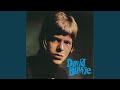
David Bowie by David Bowie — album cover
David Bowie 1967
14 tracks · Deram

Uncle Arthur, Rubber Band, Please Mr. Gravedigger. Bowie's debut — theatrical, music-hall English pop.
David Bowie by David Bowie — album cover
David Bowie 1969
9 tracks · Philips/Mercury

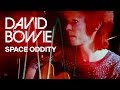
Space Oddity, Cygnet Committee, Memory of a Free Festival. The album that launched Major Tom into orbit.
The Man Who Sold the World by David Bowie — album cover
The Man Who Sold the World 1970
9 tracks · Mercury/RCA

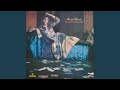
The Width of a Circle, All the Madmen, The Man Who Sold the World. Bowie goes heavy — proto-metal art rock.
Hunky Dory by David Bowie — album cover
Hunky Dory 1971
11 tracks · RCA/EMI/Columbia

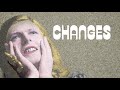
Changes, Life on Mars?, Oh! You Pretty Things. The album that introduced the future. Piano-driven art pop at its peak.

The Rise and Fall of Ziggy Stardust and the Spiders From Mars by David Bowie — album cover
The Rise and Fall of Ziggy Stardust and the Spiders From Mars 1972
11 tracks · RCA/EMI/Columbia

Starman, Suffragette City, Ziggy Stardust. The concept album that invented glam rock and gave Bowie his first alter ego.

Aladdin Sane by David Bowie — album cover
Aladdin Sane 1973
10 tracks · RCA/EMI/Columbia

The Jean Genie, Drive-In Saturday, Panic in Detroit. Ziggy Goes to America — glam rock with American R&B edge.

Pin Ups by David Bowie — album cover
Pin Ups 1973
12 tracks · RCA/EMI/Columbia

Sorrow, See Emily Play, Friday on My Mind. Bowie covers his 60s favorites — the mod London of his youth.

Diamond Dogs by David Bowie — album cover
Diamond Dogs 1974
11 tracks · RCA/EMI/Columbia

Rebel Rebel, Diamond Dogs, 1984. Dystopian glam-soul. The bridge between Ziggy and Plastic Soul Bowie.
Young Americans by David Bowie — album cover
Young Americans 1975
8 tracks · RCA/EMI/Columbia

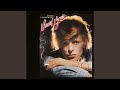
Young Americans, Fame, Across the Universe. Plastic soul — Bowie goes Philadelphia. First US #1 single with Fame.
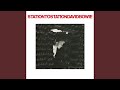
Station to Station by David Bowie — album cover
Station to Station 1976
6 tracks · RCA/EMI/Columbia

Golden Years, TVC 15, Wild Is the Wind. Thin White Duke era. Funk, krautrock, and European art-rock collide.
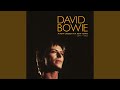
Low by David Bowie — album cover
Low 1977
11 tracks · RCA/EMI/Columbia

Sound and Vision, Be My Wife, Warszawa. Berlin Trilogy Part I. Ambient experiments that changed rock forever.

"Heroes" by David Bowie — album cover
"Heroes" 1977
10 tracks · RCA/EMI/Columbia

"Heroes", Beauty and the Beast, V-2 Schneider. Berlin Trilogy Part II. The title track is one of rock's greatest songs.
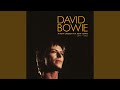
Lodger by David Bowie — album cover
Lodger 1979
10 tracks · RCA/EMI/Columbia

DJ, Boys Keep Swinging, Look Back in Anger. Berlin Trilogy Part III. World music meets new wave.
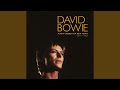
Scary Monsters… and Super Creeps by David Bowie — album cover
Scary Monsters… and Super Creeps 1980
10 tracks · RCA/EMI/Columbia

Ashes to Ashes, Fashion, Scary Monsters. Post-punk sophistication with Robert Fripp's guitar.
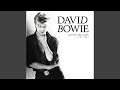
Let’s Dance by David Bowie — album cover
Let’s Dance 1983
8 tracks · EMI America/Parlophone

Let's Dance, Modern Love, China Girl. Nile Rodgers produced. Bowie's biggest commercial album — dance-rock for MTV.

Tonight by David Bowie — album cover
Tonight 1984
9 tracks · EMI America/Parlophone

Loving the Alien, Blue Jean, Tonight. Co-written with Iggy Pop. Less commercial than Let's Dance but still pop-oriented.
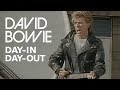
Never Let Me Down by David Bowie — album cover
Never Let Me Down 1987
10 tracks · EMI America/Parlophone

Day-In Day-Out, Time Will Crawl, Never Let Me Down. Bowie goes stadium rock.
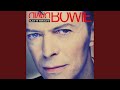
Black Tie White Noise by David Bowie — album cover
Black Tie White Noise 1993
14 tracks · Arista/Savage

Jump They Say, Miracle Goodnight, I Feel Free. Bowie's comeback after Tin Machine.
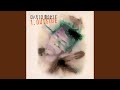
1.Outside: The Nathan Adler Diaries: A Hyper Cycle by David Bowie — album cover
1.Outside: The Nathan Adler Diaries: A Hyper Cycle 1995
19 tracks · Arista/Virgin

The Hearts Filthy Lesson, Hallo Spaceboy, I'm Deranged. Art-rock concept album with Eno. Industrial, dark, theatrical.

Earthling by David Bowie — album cover
Earthling 1997
9 tracks · Arista/Virgin

Little Wonder, I'm Afraid of Americans, Dead Man Walking. Drum and bass meets Bowie.
'hours…' by David Bowie — album cover
'hours…' 1999
10 tracks · Virgin/Sunday's Child

Thursday's Child, Survive, The Dreamers. Mellower, reflective Bowie.
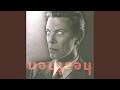
Heathen by David Bowie — album cover
Heathen 2002
12 tracks · ISO/Columbia

Slow Burn, Everyone Says Hi, Sunday. Bowie returns with Eno-esque production. A meditation on mortality.

Reality by David Bowie — album cover
Reality 2003
11 tracks · ISO/Columbia

New Killer Star, Pablo Picasso, Days. The last album before his decade-long hiatus.

The Next Day by David Bowie — album cover
The Next Day 2013
17 tracks · ISO/Columbia

Where Are We Now?, The Stars (Are Out Tonight), Valentine's Day. Surprise comeback after 10 years of silence.
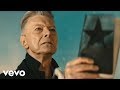
★ by David Bowie — album cover
2016
7 tracks · ISO/Columbia/RCA

Blackstar, Lazarus, I Can't Give Everything Away. His final album, released 2 days before his death. A jazz-rock farewell.

Toy by David Bowie — album cover
Toy 2021
13 tracks · Parlophone/ISO

I Dig Everything, Liza Jane, Conversation Piece. Recorded in 2001, shelved, released posthumously in 2021.

Why It Works

Stream every essential Bowie studio album free — no ads, no sign-up, no "premium" paywalls between you and *Heroes*. Just hit play and listen to *Low* front-to-back the way Eno and Visconti built it.

Why Mixtuby

YouTube has every Bowie song, but the algorithm loves to shuffle. One minute you're in Berlin 1977, the next you're on a random glam-rock fan mix. Mixtuby organizes all 12 albums as albums — tracklist order, clean interface, one tap to the next song. No account, no autoplay traps. The way *Low* is meant to be heard.

Biography

David Robert Jones was born January 8, 1947 in Brixton, London. He picked up saxophone at 13, dropped out of school at 16, and spent five frustrating years trying to break through with half a dozen bands before a novelty single called "Space Oddity" (1969) finally charted — timed perfectly to the moon landing.

Then came the characters. Ziggy Stardust (1972) — the alien rock god who invented glam. The Thin White Duke (1976) — the cocaine-thin aristocrat of *Station to Station*.

The Berlin exile (1977-79) — working with Brian Eno and Tony Visconti to make three of the most influential rock albums ever recorded. The MTV superstar (1983) — *Let's Dance* turned him into a stadium act.

He kept reinventing into his 60s — drum and bass experiments, jazz ensembles, Broadway. He was diagnosed with liver cancer in 2014, recorded *Blackstar* in secret, released it on his 69th birthday, and died two days later on January 10, 2016. He was inducted into the Rock and Roll Hall of Fame in 1996.

History

*Hunky Dory* (1971) is where it all clicks — Changes, Life on Mars?, Queen Bitch. A year later, *The Rise and Fall of Ziggy Stardust and the Spiders from Mars* arrived: Starman, Suffragette City, the final track Rock 'n' Roll Suicide.

Glam rock as theater.

*Aladdin Sane* (1973) was Ziggy on tour in America. *Diamond Dogs* (1974) was Bowie alone, building apocalyptic glam-soul. Then the pivot: *Young Americans* (1975) and *Station to Station* (1976) abandoned rock for "plastic soul" and cold European funk.

Fame (co-written with John Lennon) became his first US #1.

The Berlin Trilogy is its own chapter. *Low* (1977) split into half pop songs, half ambient instrumentals. *"Heroes"* (1977) gave him arguably the greatest song of his career.

*Lodger* (1979) closed the experimental phase. Then *Scary Monsters* (1980) — Ashes to Ashes, Fashion — bridged to the 80s.

*Let's Dance* (1983), produced by Nile Rodgers, made him a global pop star. Bowie spent the 90s in less-commercial but restless mode (Tin Machine, Outside, Earthling), then returned to form with *Heathen* (2002) and *Reality* (2003). After a decade of silence, *The Next Day* (2013) stunned everyone.

*Blackstar* (2016) — jazz ensemble, cryptic lyrics, Lazarus video — was his final statement.

Legacy & Influence

Bowie sold over 140 million records. But sales undersell him. His real legacy is *permission*: to be strange, to reinvent, to fail and pivot, to treat pop as art.

Nirvana covered *The Man Who Sold the World*. Lady Gaga's entire career is a Bowie footnote. Arcade Fire, LCD Soundsystem, Radiohead — all openly indebted.

*Blackstar* won 5 Grammys posthumously, including Best Rock Performance for "Blackstar" and Best Alternative Music Album. A decade after his death, new generations discover *Hunky Dory* and *Low* and realize — he got there first, always.

Perfect For

Late-night deep listens — *Low* or *Heroes* front-to-back in the dark
Coding sessions that need atmosphere, not lyrics (Berlin Trilogy instrumentals)
80s dance parties — *Let's Dance* still fills a floor
Rainy Sunday afternoons — *Hunky Dory* was built for it
Road trips — *Ziggy Stardust* from start to finish
Introducing someone to art rock — start with Heroes, end with Life on Mars?
Grieving or processing — *Blackstar* hits differently after loss
Writing or creative work — the character-driven records are inspiration fuel

How to Listen

1

Start with Greatest Hits (20 tracks) for the full span of his career

2

*Hunky Dory* and *Ziggy Stardust* are the obvious entry points if you're new

3

*Low* and *"Heroes"* should be heard back-to-back, in that order

4

*Blackstar* hits hardest if you watch the Lazarus video after the album

5

Don't skip *Station to Station* — the most underrated 10 minutes in his catalog

Ready to listen?

No account needed. Just press play.

Open Mixtuby

🎁 Pick The Perfect Gift For The People You Love

For the friend who knows every B-side. We chose these the way a record-store owner would — with care, a sharp eye, and prices that won't make you feel ripped off. Small gestures, big smiles.

Powered by Amazon

Stay in the Loop

New playlists, features & artist drops. No spam, unsubscribe anytime.

David Bowie — Every Era, Every Alter Ego, No Ads — FAQ

What's the best gift for a David Bowie — Every Era, Every Alter Ego, No Ads fan?

It depends on the kind of fan. Top picks: The Vinyl Collector: David Bowie — Hunky Dory Vinyl LP · The Casual Fan: David Bowie Aladdin Sane T-Shirt · The Audiophile: Bowie: A Biography by Wendy Leigh · The Decorator: David Bowie Ziggy Stardust Poster. See the Gift Ideas section above for a hand-picked guide by buyer type.

How many David Bowie studio albums are there?

Bowie released 26 studio albums between 1967 and 2016. Mixtuby features 12 essential ones covering Hunky Dory (1971) through Blackstar (2016) — the albums most critics agree define his legacy.

What's the best David Bowie album to start with?

*Hunky Dory* (1971) is the most accessible entry point — Changes, Life on Mars?, Queen Bitch. If you want the rock classic, start with *The Rise and Fall of Ziggy Stardust* (1972).

Is David Bowie music free on Mixtuby?

Yes. Every album streams free — no ads, no sign-up, no account. We organize videos from YouTube into clean album-based playlists that respect the original tracklist order.

What is the Berlin Trilogy?

*Low* (1977), *"Heroes"* (1977), and *Lodger* (1979) — three albums Bowie made with Brian Eno and Tony Visconti, partly recorded at Hansa Studios by the Berlin Wall. They invented much of what became post-punk, new wave, and ambient music.

Why is Blackstar so important?

Bowie recorded *Blackstar* in secret while dying of liver cancer. He released it on his 69th birthday (January 8, 2016) and died two days later. The lyrics and Lazarus video are his goodbye. It won 5 Grammys posthumously.

What was Bowie's biggest hit?

*Let's Dance* (1983) sold over 10 million copies — his biggest commercial album. Singles-wise, Fame (1975) and Let's Dance (1983) both hit US #1. But Heroes, despite charting low originally, is now widely considered his greatest song.

Mixtuby — Mix. Play. Enjoy.

As an Amazon Associate I earn from qualifying purchases.

App Guide

What is Mixtuby?

A free YouTube music player and mixer. Pick a mood or browse curated playlists, paste your own YouTube links, and enjoy continuous, gapless playback (with crossfade on desktop). On top of the music: karaoke with synced lyrics, A-B loop, and Vibe Mode — the original Mixtuby experience, with relaxing games and sleep tools. Not just music: anything that plays on YouTube works here — full movies, podcasts, DJ mixes. No account required.

Tap Mix. Play. Enjoy. to dive into Vibe Mode.

Quick Start

1

Add music

Search for songs directly, paste YouTube links, or scroll down and tap any curated album card. Preview tracks before adding — tap ▶ to listen, drag the seekbar to seek, then tap + to add to your playlist.

2

Play & customize each track

Press Play, then tap the settings icon on any track in your playlist to set its speed, A-B loop region, and volume. Tap Next to save and move to the next track.

3

Enjoy continuous playback

Tracks flow one into the next with no silence — gapless on phone and tablet, with a smooth crossfade on desktop. Your playlist, position, and settings auto-save right on this device — reopen Mixtuby and you land back on the exact playlist, track, and spot you were last listening to here.

Continue on another device

Start a song on your phone, finish it on your laptop. Sign in with the same account on both — cross-device resume is off for guests.

1

Play on one device

Listen as usual. While music is playing, Mixtuby quietly saves your current track, exact position, and whole queue every few seconds.

2

Open Mixtuby on the other device

A toast slides in at the top: “Resumed from iPhone · 2:14” — showing where you left off. Nothing changes until you choose.

3

You decide — import or dismiss

Two clear choices, never automatic — see below.

Tap the toast to import Tap the toast (the → arrow) and your full queue jumps over and continues from the exact second you left off on the other device.
×
Tap × to keep this device Don't want it? Tap × and whatever is already on this device stays untouched. The toast also closes on its own after 30 seconds if you ignore it.

Search & Preview

The fastest way to build a playlist — search, listen, and add without leaving the page.

Preview a track Tap ▶ on any search result to hear it instantly. The full track plays in the main player with a seekbar on the result row.
DRAG
Seek within preview Drag the seekbar on the previewing track to jump to any point. A time bubble shows the exact position.
+
Add to playlist Tap + to add the track to your playlist. Preview stops automatically. Switch between results freely — only the last tapped plays.
TIP
Quick playlist workflow Search → ▶ preview → + add → search again → repeat. When done, tap Start Mix. Your previewed and added tracks are ready for continuous playback!

Find a Song by Lyrics

Forgot the title but remember a line — or just a few fuzzy words? Open the By Lyrics tab (the magnifier, next to Quick Start and Add Tracks) and let Mixtuby find it for you.

TYPE
Type or paste a line you remember Type a chorus line, paste a whole refrain, or just a few half-remembered words — the box grows to fit. Exact wording, spelling and order don't matter; a close fragment is enough.
🔍
Tap Search Nothing happens as you type — tap the search button when you're ready. Mixtuby checks its own catalog first, and only reaches out to find the song if it needs to.
💡
Not sure? Pick a “Did you mean?” suggestion If your words are too fuzzy to match exactly, Mixtuby AI suggests up to 3 songs it thinks you mean (artist — title, with the real line). Tap the right one and it loads into your player.
Tap a result to play Found it? Tap the matching song and it loads straight into your player, ready to go.

Hidden Gestures

These are not obvious from the UI — learn them to get the most out of Mixtuby.

HOLD
Skip 5s buttons Tap to skip 5 seconds. Hold down to skip 5s every 0.3 seconds continuously until you release.
TAP / HOLD
A: and :B markers Tap the A: or :B label to set it to the current playback time. Long press to type a specific time manually.
TAP
✂ Share a segment When A-B loop is active, a ✂ duration label appears above the progress bar. Tap it to share that exact segment with a link.
HOLD
Theme toggle (moon icon) Tap to switch dark/light. Long press to activate system theme (follows your device settings automatically).
SWIPE
Pull to refresh (mobile) Pull down from the top of the page on mobile to reload.
DRAG
Reorder & resize playlist Drag the handle on any track to reorder. Swipe left to remove. Drag the bottom edge of the playlist to resize its height.
TAP
Grid ↔ carousel layout toggle Tap the layout button next to Quick Start and Saved Playlists to flip the album cards between a vertical grid and a horizontal swipeable carousel. Swipe (or click-drag on desktop) to scroll the carousel. Mixtuby remembers your choice for next time.

Per-Track Settings

Tap the gear icon on any track in your playlist to open its settings. Each track can have its own:

  • Speed — 0.25x to 2x (great for practice or podcasts)
  • A-B Loop — set start/end points, loop count, and what happens after loop ends
  • Volume — override the global volume for this track

Tap Next in the dialog to save and jump to the next track — perfect for setting up an entire playlist quickly.

Settings Panel

Open Settings (gear icon in navbar) to find these options:

Sleep Timer Set a timer (15m to 120m) and music fades out automatically. A countdown badge appears in the player. Tap again to cancel.
Notifications & Reminders Set gentle reminders to come back and play music, even when Mixtuby is closed. Off by default. See the Reminders section below for details.
Now Playing Shows the track name as an in-app toast (and a browser notification) when a new song starts, even with Mixtuby in the background. Stays on your device — off by default.
Crossfade (desktop) & Gapless On desktop, crossfade blends tracks together (1-30s). On iPhone and iPad, playback is gapless — each track goes straight into the next with no overlap. Turn crossfade off any time to force gapless everywhere.
Stars Theme, Video Quality, Audio Mode Enable animated stars background, choose video quality (360p–1080p), or switch to Audio-only mode to save data.

Reminders

Gentle nudges to come back and play music — they arrive even when Mixtuby is closed, in your own local time. Open Settings → Notifications to set them up. No account needed.

1

Turn on a reminder

In Settings → Notifications, flip on the Daily Mix card. The first time, your browser asks to allow notifications — tap Allow. On iPhone you must install Mixtuby to your Home Screen first.

2

Pick the time

Choose when the reminder fires — it arrives at the exact minute you set (17:44 means 17:44), always in your local time, no matter where you travel. Change the time later and you get a fresh reminder the same day.

3

Pick how often

Set the frequency: Daily, Every 3 days, Weekly (pick one weekday), or Custom (tap any days of the week you like).

Tap a reminder and Mixtuby opens right where you left off — same playlist, track, and spot. Turn a reminder off anytime — the device is unsubscribed and stops receiving it.

Sleep Mode tools

Sleep Mode is a calm full-screen mode with relaxing games and tools that play over your music — Karaoke, Rubber Duck, Baby Sleep, Typo, Breathe, Party, Shooter, Constellation, Dropbeat, and Gems. They are all free, no account needed.

🌙
Browse every tool Open the Features page (/features) to see the full list of Sleep Mode tools, each with a short description.
TAP
Play now — jump straight in Tap Play now on any tool and Mixtuby enters Sleep Mode with that tool already open over your music — no setup.
🔗
Share a tool Tap to open a tool's Paused · Settings, then Share this game / tool 🔗. It opens your device's share sheet (or copies the link on desktop) — whoever opens the link lands straight in that tool over their music.

Karaoke — Sing Along

Time-synced lyrics that scroll line by line over whatever is playing. Open Sleep Mode (moon icon) and tap Karaoke — the current line highlights automatically and follows the song. Switch tracks and the lyrics follow. Works on any YouTube song that has lyrics on file; if none exist, karaoke just stays off for that track.

Learn more about Karaoke →

Screen Lock (Child Lock)

Locks the screen so a child or a nightstand phone can't change the track, skip, or exit by accident — the music keeps playing. Screen Lock works with a free account. Tap the 🔒 lock button in the top navbar to lock; it then turns red.

Set or change the PIN in the Player Settings panel (Screen Lock card). Your PIN is saved to your account and follows you across devices. Forgot it? On the keypad, tap "Forgot?" — this signs you out (stops the music); set a new PIN after signing back in.

Rubber Duck (DJ Quack)

Digital debugging companion from The Pragmatic Programmer. Enable in Settings → Rubber Duck. Tap the duck button to summon DJ Quack — 12 skins, animated affirmations, particle effects. Explain your problem to the duck and find the solution yourself.

Learn more about Rubber Duck →

Sleep & Relax

Science-based sleep aid. Enable in Settings → Baby Sleep Game. In Sleep Mode, tap Sleep → choose a playlist (Baby, Rain, 528Hz...) → set timer → Start. Ducks fall slowly, tap to catch with warm particle effects. Screen dims progressively. Based on Cognitive Shuffle, bilateral tapping, and progressive dimming.

Learn more about Sleep & Relax →

Breathe

Guided breathing to fall asleep or calm down. In Sleep Mode, tap the Breathe card, pick a technique, then Start breathing. An animated circle expands as you inhale and shrinks as you exhale, with the phase and a countdown shown inside.

🎯
Pick by how you feel Each technique shows the benefit it's linked to: 4-7-8 to lower cortisol and ease into sleep, Box to reduce stress, Coherent to ease anxiety, Physiological Sigh to lower panic fast, Wim Hof to boost energy, Alternate Nostril to sharpen focus. A relaxation aid, not medical care.
🌬️
6 science-backed techniques Choose 4-7-8, Box, Coherent, Wim Hof, Physiological Sigh, or Alternate Nostril. Tap the info button on a technique to read what it does and the research behind it.
🔊
Sound cues — breathe with eyes closed Tap the Sound button to hear a real breath play as you inhale and exhale, with a short bip marking the end of each phase. Holds stay silent. Now you can follow along without looking at the screen.
⚙️
Pause & quick settings Tap the ⏸ button to pause the exercise, or the ⚙ button for quick settings — toggle the breath Sound, the background Music, and a Mini player so your song stays in reach.

Party Light Show

Turn the screen into a full-screen light show synced to the vibe. In Sleep Mode, tap the Party card to launch 11 effects — including a strobing Blitz mode and a packed Insane mode. Set the intensity, and drop your own custom text in the center with size and color controls. Great as a second-screen visual at a party while your playlist plays.

Rhythm games — Typo & Shooter

Two quick arcade games that play over your music. Open Sleep Mode and tap a card to start — your best score is kept on the leaderboard.

⌨️
Typo — type the falling words Type each word before it reaches the bottom. You're scored on speed and accuracy. When lyrics are available, the words can come from the song you're playing.
🎯
Shooter — tap on the beat Targets fly in to the beat — tap to shoot them before they pass, and chain hits for combo multipliers. Any track becomes a playable level.

Constellation — trace the stars

A calm star-tracing game in Sleep Mode. Open Sleep Mode (moon icon) and tap Constellation, then pick how you want to play. Your rank and collection are kept on this device — no account needed.

HUNT
Hunt — find the hidden shape You get a constellation's name and a tiny FIND THIS poster in the corner. The real stars hide among look-alike decoys — tap the right ones to trace the figure. More decoys appear as your collection grows.
SLEEP
Sleep — calm & no-fail The next star gently breathes — just follow it. No timer, no misses, made for drifting off.
PUZZLE
Puzzle — memorize, then rebuild Watch the lit shape for a moment, then rebuild it from memory once the stars go dark.
Score, ranks & the 88 collection The big number counts every star tap (e.g. “4/4”). Finish clean — exactly the star count in Hunt, no wrong pairs in Puzzle — to earn an XP bonus; a sloppy finish still reveals the constellation but skips the bonus. XP builds a named rank (Stargazer → Cosmographer), and each first-time finish banks toward “X / 88 discovered” with a one-time First light bonus.

At the reveal you see the constellation's name, a short fact, and its myth — the story behind the figure. It holds a little longer so you can read it; tap Skip to jump ahead. Tap any discovered constellation in your collection to re-read its story. Want a harder Hunt? Pause and turn off the Reference poster in Settings to hide the FIND THIS outline.

Dropbeat — blocks on the beat

A falling-blocks game where the pieces drop on the beat. Open Sleep Mode (moon icon) and tap Dropbeat, then pick a vibe to start. Move and rotate the pieces to clear full rows — your best score is kept on the leaderboard.

🎵
Pick a vibe — it sets music & tempo Choose Ambient, Lo-Fi, Hip-Hop, Pop, Electro, or Rock. Your pick sets both the background playlist and how fast the blocks fall — Ambient is the calmest, Rock the fastest.
⚙️
Pause & quick settings Tap ⏸ to pause, then the ⚙ button for quick settings — toggle the game Sound, the background Music, and a Mini player so your song stays in reach.

Gems — match three

A match-3 puzzle over your music. Open Sleep Mode (moon icon) and tap Gems. Swap two neighbouring gems to line up 3 or more of a colour — they pop, the board cascades, and chains build into combos. Match 4 clears a whole line; match 5 makes a colour-bomb.

TIMED
Timed — 60-second score attack Score as high as you can in 60 seconds — your best run is kept on the leaderboard.
ENDLESS
Endless — play with no clock Keep matching for as long as you like, no timer pushing you.
ZEN
Zen — calm & no pressure A relaxed mode for winding down — just swap and watch the gems cascade.

Keyboard Shortcuts (Desktop)

Space Play / Pause
M Mute
← → Seek ±10s
↑ ↓ Volume ±10
N Next track
P Previous track
S Shuffle
R Repeat mode
F Fullscreen
1-200 Jump to track # (type fast for multi-digit)

Example: Gym Playlist

1. Paste your favorite tracks or load a curated album
2. Tap each track's settings icon → set A-B loop on just the chorus → tap Next
3. Hit Play — only choruses play, one after another, back to back. Non-stop energy!
4. Set a sleep timer if listening in bed. Install as app for the best experience.

Works for gym, running, studying, cooking, driving — any activity where you want only the best parts.

Why don't I always see ads?

Ad display is controlled entirely by YouTube — based on the video owner's monetization settings, autoplay behavior, your region, and your YouTube account. Mixtuby does not block ads. They may appear at any time.

How do I listen with the screen locked?

Background playback depends on your device and browser, not just on Mixtuby. On iOS, embedded players pause when the screen locks — YouTube Premium does not change this for third-party sites. On desktop and many Android setups, if you're signed in to YouTube in the same browser, playback can continue in the background. Lock-screen and Bluetooth controls work whenever the browser allows it. For guaranteed screen-off listening, keep the screen on (Focus mode) or use the official YouTube app.

Control from your car, lock screen & Bluetooth

Mixtuby talks to your device's built-in media controls — so you can skip tracks without touching the screen. Perfect for driving, the gym, or pocket listening.

🚗
Car & Bluetooth buttons Steering-wheel, infotainment, and earbud/headphone next/previous and play/pause buttons control Mixtuby directly.
🔒
Title & artwork on display The lock screen and car display show the current track title and artwork, with skip and pause controls.
🎙️
"Hey Google, next track" / Siri Use Google Assistant on Android or Siri Now Playing on iOS to skip tracks by voice. (This is your phone's assistant — Mixtuby has no built-in voice command.)

With the screen on and Mixtuby in the foreground, these controls work for everyone. The real hands-free case — screen off or phone in your pocket — depends on your device and browser, not on Mixtuby (see "How do I listen with the screen locked?" above).

Ask your browser's AI to play music

If your browser has a built-in AI assistant (like Gemini in newer Chrome), Mixtuby teaches it a few tricks. Just ask in plain words — “play some focus music” or “search Mixtuby for Adele” — and the assistant can do it for you, hands-free.

🔎
Search & browse, hands-free Your assistant can search Mixtuby's catalog, list the curated playlists, or check what's trending — and read the results back to you, without you tapping anything.
Start a playlist or a Vibe tool Ask it to play a curated playlist or open a Vibe Mode tool (Karaoke, Breathe, Party…) and it opens Mixtuby right on what you asked for.
NOTE
No AI in your browser? Nothing changes This only works if your own browser has a compatible AI assistant. On every other browser Mixtuby behaves exactly as before — nothing is added, removed, or sent anywhere. The assistant runs inside your browser; Mixtuby just lets it search our own catalog and open links for you.

You're offline

Playback requires an internet connection. Your playlist and position are saved — music will resume automatically when you're back online.