

B.U.G. Mafia — Albums & Full Discography
B.U.G. Mafia (Bucharest Underground Mafia) is the most influential hip-hop group in Romanian music history. Founded in 1993 in Bucharest's Pantelimon neighborhood, Tataee, Caddillac, and Uzzi created the blueprint for Romanian gangsta rap with their raw street poetry, hard-hitting beats, and uncompromising authenticity. From Viața de Borfaș to Olimpiada, their songs are anthems for an entire generation.

Discography
Explore the complete B.U.G. Mafia studio albums. Click any album to see the full track list and listen.

B.U.G. Mafia's debut album from 1995. Features Viața de Borfaș and Ucigași.
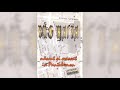
B.U.G. Mafia's second album. Features Pe Viață and Născut Și Crescut În Pantelimon.
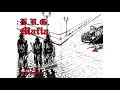
B.U.G. Mafia's 1996 EP/mini-album. Features Marijuana, Pantelimonu' Petrece and Moarte Pentru Moarte.
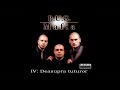
B.U.G. Mafia's third album. Features Hoteluri and Pantelimon 100%.
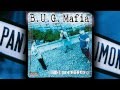
B.U.G. Mafia's best-selling album with over 125,000 copies. Features Limbaj de cartier and De cartier.
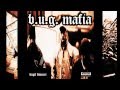
Features Anturaju', Capu' Sus, and După Blocuri. Released January 2000.
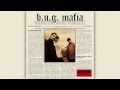
Features Un 2 și trei de 0, Poezie de stradă, and 3 Băieți. Released 2000.

Various artists compilation presented by B.U.G. Mafia. Features tracks from CASA collective members.
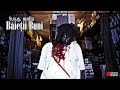
Features Românește, În Anii Ce Au Trecut, and O Lume Nebună. Released 2003.
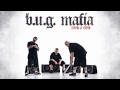
B.U.G. Mafia's latest album. Features Olimpiada, Înapoi în Viitor, and Când Trandafirii Mor.
Why It Works
B.U.G. Mafia's music delivers raw energy and authentic street storytelling perfect for workouts, driving, and motivation. Their beats blend classic hip-hop production with Romanian flavor, creating a unique sound that hits hard whether you're at the gym or cruising through the city.
Why Mixtuby
Mixtuby plays B.U.G. Mafia's greatest hits and complete albums back-to-back with Vibe Mode (seamless crossfade on desktop). No interruptions — just pure Romanian hip-hop from Mafia (1995) to Înapoi în Viitor (2011).
Biography
B.U.G.
Mafia (Bucharest Underground Mafia) was founded in 1993 as Black Underground in the Pantelimon neighborhood of Bucharest by Vlad "Tataee" Irimia and Dragoș "Caddillac" Vlad-Neagu, who were teenage high school students at the time. After early members D.D.
and Mr.Nobody departed, they recruited Alin "Uzzi" Demeter in 1995 and transitioned from English to Romanian lyrics. Their sound blends American gangsta rap, hardcore hip-hop, and G-funk influences with distinctly Romanian street sensibility.
Their lyrics paint vivid pictures of life in Bucharest's post-communist housing projects — poverty, crime, and the Romanian political class — honest, raw, and unapologetic. They rap exclusively in Romanian, making their music deeply connected to local culture. B.
U.G. Mafia has sold hundreds of thousands of albums in Romania — De Cartier (1998) alone moved over 125,000 copies.
They founded their own record label, Casa Productions, and built a massive following across the Romanian diaspora. They are credited with legitimizing hip-hop in Romania and inspiring virtually every Romanian rapper who followed.
History
B.U.G.
Mafia released their debut album Mafia in late 1995 on AMMA Record. Despite poor sound quality and virtually no label promotion, it created enough controversy to get them signed by Cat Music. The album featured Viața de Borfaș, Ucigași, and collaborations with M&G.
Născut și crescut în Pantelimon (1996) and IV: Deasupra tuturor (1997) established them as the dominant force in Romanian hip-hop. De Cartier (1998) became their best-selling album with over 125,000 copies, featuring Limbaj de cartier, De cartier, and Pentru '98. După blocuri (January 2000) and Întotdeauna pentru totdeauna (later 2000) showed their prolific output, with tracks like Anturaju', Un 2 și trei de 0, and Poezie de stradă.
Băieții Buni (2003) was their first release on their own Casa Productions label, featuring Românește and În Anii Ce Au Trecut. After an 8-year hiatus, Înapoi în Viitor (2011) proved they could still deliver with Olimpiada, Când Trandafirii Mor, and 5000 De Zile. Though no new album has followed, B.
U.G. Mafia continues to perform live and release occasional singles.
Legacy & Influence
B.U.G.
Mafia's legacy in Romanian music is comparable to what N.W.A.
represents for American hip-hop — they didn't just create a genre, they defined an entire culture. Before B.U.
G. Mafia, hip-hop barely existed in Romania. After them, it became one of the country's dominant music genres.
Every major Romanian rapper — from Paraziții to Guess Who, from Grasu XXL to Killa Fonic — acknowledges B.U.G.
Mafia's foundational influence. Their Pantelimon neighborhood became a cultural landmark, and their slang and expressions entered everyday Romanian language. Their songs remain essential listening over 25 years after release.
Viața de Borfaș, Pantelimon 100%, De cartier, Limbaj de cartier, Un 2 și trei de 0, Poezie de stradă, and Românește continue to accumulate millions of streams and views. B.U.
G. Mafia proved that authentic, uncompromising hip-hop could thrive in Romania — and their music remains the gold standard.
Perfect For
How to Listen
Use quality headphones or speakers to hear every detail — these mixes reward careful listening.
Start at 60-70% volume and adjust — the dynamic range rewards moderate levels, not cranked.
Play full albums in sequence when you can — the tracklist order was chosen intentionally.
Watch live performances on YouTube after studio versions — the same songs hit differently live.
Create a dedicated listening session — close other tabs, no multitasking, just the music.
🎁 Pick The Perfect Gift For The People You Love
As an Amazon Associate, Mixtuby earns from qualifying purchases.
Real gifts for the heads who actually listen. We picked combos with love (zero algorithm) at prices that don't bully your wallet. Small things, big reactions — that's the move.
🛒 Shop B.U.G. Mafia — Albums & Full Discography
Hand-picked vinyl, merch & gear for fans.
As an Amazon Associate, Mixtuby earns from qualifying purchases.






B.U.G. Mafia — Albums & Full Discography — FAQ
What's the best gift for a B.U.G. Mafia — Albums & Full Discography fan?
It depends on the kind of fan. Top picks: The Vinyl Collector: Hip Hop Legends Vinyl Record · The Casual Fan: Hip Hop Classic T-Shirt · The Audiophile: Sony WH-1000XM5 Headphones · The Decorator: Hip Hop Graffiti Wall Art. See the Gift Ideas section above for a hand-picked guide by buyer type.
What Bug Mafia songs are on Mixtuby?
All the classics — Strazile, Pe Coasta, Poezie de Strada, Bag Pula-n Lume, and complete albums from the legendary Romanian hip-hop group.
What genre is Bug Mafia?
Romanian hip-hop, gangsta rap. They are the most influential Romanian rap group, active since the early 1990s from Bucharest's Pantelimon neighborhood.
Is Bug Mafia the biggest Romanian rap group?
Yes — Bug Mafia defined Romanian hip-hop. Tataee, Caddillac, and Uzzi created the blueprint for an entire generation of Romanian rappers.
Can I listen to full Bug Mafia albums?
Yes — every studio album with all tracks, played continuously with Vibe Mode (crossfade on desktop).
Is it free?
Completely free, no signup.
You Might Also Like
Best for Your Mood
Explore More
See Also
Mixtuby — Mix. Play. Enjoy.
As an Amazon Associate, Mixtuby earns from qualifying purchases.
—
Your mix, ready tomorrow
One gentle nudge a day — even with the app closed.