Snoop Dogg — Albums & Full Discography

Updated June 2026 · 23 albums · 414 tracks · Free
Start Play All tracks

Snoop Dogg is one of the most iconic figures in hip-hop history. From his groundbreaking debut Doggystyle in 1993 to his 2024 reunion with Dr. Dre on Missionary, Snoop has remained a cultural force for over three decades. His laid-back flow, G-funk sound, and unmistakable voice have defined West Coast rap.
Snoop Dogg — Albums & Full Discography — listen free on Mixtuby

Discography

Explore the complete Snoop Dogg studio albums. Click any album to see the full track list and listen.
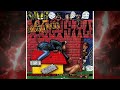
Doggystyle by Snoop Dogg — album cover
Doggystyle 1993
13 tracks · Death Row / Interscope

One of the greatest debut albums in hip-hop history. Produced by Dr. Dre, Doggystyle debuted at No. 1 on the Billboard 200 and spawned iconic singles like Gin and Juice and Who Am I (What's My Name)?. It sold over 11 million copies worldwide.
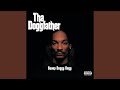
Tha Doggfather by Snoop Dogg — album cover
Tha Doggfather 1996
21 tracks · Death Row / Interscope

Snoop's sophomore album and his final release on Death Row Records. Debuting at No. 1, it featured Snoop Bounce and the Nate Dogg collaboration Snoop's Upside Ya Head.
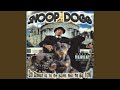
Da Game Is to Be Sold, Not to Be Told by Snoop Dogg — album cover
Da Game Is to Be Sold, Not to Be Told 1998
21 tracks · No Limit / Priority

Snoop's first album after leaving Death Row for No Limit Records. It debuted at No. 1 and showcased a Southern hip-hop influence with Still a G Thang and Woof!.
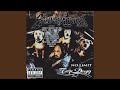
No Limit Top Dogg by Snoop Dogg — album cover
No Limit Top Dogg 1999
21 tracks · No Limit / Priority

Featuring collaborations with Dr. Dre, Xzibit, and Nate Dogg. The album included Bitch Please and the Dre-produced Down 4 My N's.
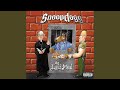
Tha Last Meal by Snoop Dogg — album cover
Tha Last Meal 2000
19 tracks · No Limit / Priority

A return to the G-funk sound with Dr. Dre producing several tracks. Featured Lay Low with Nate Dogg and the Neptunes-produced Beautiful.
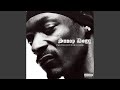
Paid tha Cost to Be da Bo$$ by Snoop Dogg — album cover
Paid tha Cost to Be da Bo$$ 2002
20 tracks · Priority / Capitol

Snoop's sixth studio album featuring the massive hit Beautiful with Pharrell and Uncle Charlie Wilson. Also included From tha Chuuuch to da Palace and the Dr. Dre collaboration From Long Beach 2 Brick City.
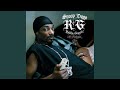
R&G (Rhythm & Gangsta): The Masterpiece by Snoop Dogg — album cover
R&G (Rhythm & Gangsta): The Masterpiece 2004
20 tracks · Geffen / Star Trak

Produced primarily by The Neptunes, this album spawned the worldwide smash Drop It Like It's Hot with Pharrell and Signs with Justin Timberlake and Charlie Wilson. It debuted at No. 1.
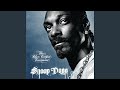
Tha Blue Carpet Treatment by Snoop Dogg — album cover
Tha Blue Carpet Treatment 2006
21 tracks · Geffen

A return to hardcore West Coast hip-hop. Featured That's That Shit with R. Kelly and Vato. The album was praised for its lyrical depth and classic G-funk production.
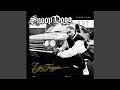
Ego Trippin' by Snoop Dogg — album cover
Ego Trippin' 2008
21 tracks · Geffen

A genre-blending album that mixed hip-hop with funk, rock, and pop. Featured Sensual Seduction (Sexual Eruption) which became one of Snoop's biggest solo hits.
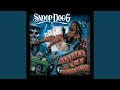
Malice n Wonderland by Snoop Dogg — album cover
Malice n Wonderland 2009
14 tracks · Priority / Capitol

Released during Snoop's partnership with producer Lil Jon. Featured I Wanna Rock and Gangsta Luv with The-Dream.
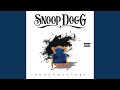
Doggumentary by Snoop Dogg — album cover
Doggumentary 2011
21 tracks · Priority / Capitol

Snoop's eleventh studio album featuring Wet (Snoop Dogg vs. David Guetta), Boom with T-Pain, and The Weed Iz Mine with Wiz Khalifa.
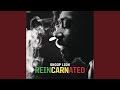
Reincarnated by Snoop Dogg — album cover
Reincarnated 2013
12 tracks · Berhane Sound System / RCA

Snoop Lion's reggae album. Features Here Comes the King and Ashtrays and Heartbreaks ft. Miley Cyrus.
Kush by Snoop Dogg — album cover
Kush 2014
10 tracks ·

Bush by Snoop Dogg — album cover
Bush 2015
10 tracks · Columbia / I Am Other

Entirely produced by Pharrell Williams, Bush marked a shift to funk and R&B. Featured Peaches N Cream with Charlie Wilson and So Many Pros.

Coolaid by Snoop Dogg — album cover
Coolaid 2016
20 tracks · Doggystyle

A return to hip-hop roots after the funk experiment of Bush. Featured Point Seen Money Gone with Jeremih and the Too Short collaboration Whateva U Do.
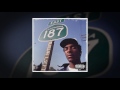
Neva Left by Snoop Dogg — album cover
Neva Left 2017
17 tracks · Doggy Style / Empire

Snoop Dogg's return to West Coast hip-hop. Features Mount Kushmore and Lavender.
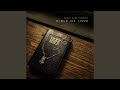
Bible of Love by Snoop Dogg — album cover
Bible of Love 2018
32 tracks · RCA Inspiration / All the Time Entertainment

Snoop Dogg's gospel double album. Features Blessing Me Again and Words Are Few.
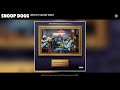
I Wanna Thank Me by Snoop Dogg — album cover
I Wanna Thank Me 2019
22 tracks · Doggystyle

A reflective album celebrating Snoop's 25+ year career. Featured collaborations with Swizz Beatz, Chris Brown, YG, Slick Rick, and Ozuna. Included I Wanna Thank Me and Turn Me On.
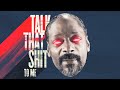
From tha Streets 2 tha Suites by Snoop Dogg — album cover
From tha Streets 2 tha Suites 2021
10 tracks · Doggy Style

Snoop Dogg's West Coast hip-hop album. Features CEO and Gang Signs ft. Mozzy.
BODR (Bacc on Death Row) by Snoop Dogg — album cover
BODR (Bacc on Death Row) 2022
18 tracks · Death Row / Create

Snoop Dogg's first album on Death Row after acquiring the label. Features Conflicted ft. Nas.
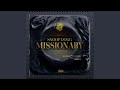
Missionary by Snoop Dogg — album cover
Missionary 2024
16 tracks · Death Row / Aftermath / Interscope

Snoop Dogg reunites with Dr. Dre. Features Gorgeous ft. Jhene Aiko and Hard to Predict ft. Sting.

Iz It a Crime? by Snoop Dogg — album cover
Iz It a Crime? 2025
21 tracks ·

10 Til’ Midnight by Snoop Dogg — album cover
10 Til’ Midnight 2026
14 tracks ·

Why It Works

Snoop Dogg's music sets the perfect vibe for cruising, parties, or just chilling out. His smooth delivery and infectious beats create an atmosphere of effortless cool that enhances any moment.

Why Mixtuby

Mixtuby plays Snoop Dogg's greatest hits back-to-back with seamless transitions. No ads, no interruptions — just pure West Coast hip-hop from Doggystyle to Missionary.

Biography

Calvin Cordozar Broadus Jr., known professionally as Snoop Dogg, was born on October 20, 1971, in Long Beach, California. He was nicknamed "Snoopy" by his parents due to his love of the cartoon character Peanuts.

Before his music career, he was a member of the Rollin' 20s Crips gang. Dr. Dre discovered him through a mixtape and featured him on The Chronic (1992), launching one of hip-hop's most legendary careers.

Snoop's musical style is defined by his smooth, melodic flow that glides effortlessly over G-funk beats. His delivery is instantly recognizable — a laid-back, almost conversational cadence that belies incredible rhythmic precision. He pioneered the use of "-izzle" slang and brought a relaxed, charismatic energy to gangsta rap that influenced countless artists.

With over 40 million albums sold worldwide, Snoop Dogg is one of the best-selling hip-hop artists of all time. He has been nominated for 17 Grammy Awards, starred in numerous films, hosted TV shows, and built a media empire spanning music, cannabis, cooking, and sports broadcasting. His cultural impact extends far beyond music — he is a true pop culture icon.

History

Snoop Dogg burst onto the scene in 1992 as the protégé of Dr. Dre, featured prominently on The Chronic. His 1993 debut Doggystyle became the first debut album to enter the Billboard 200 at No.

1, driven by singles Gin and Juice and Who Am I (What's My Name)?. Despite legal troubles, including a murder trial (he was acquitted in 1996), Snoop became the face of West Coast G-funk.

After leaving Death Row Records in 1998, Snoop joined Master P's No Limit Records for three albums before signing with Geffen. His 2004 album R&G (Rhythm & Gangsta): The Masterpiece spawned the massive hit Drop It Like It's Hot with Pharrell, his first No. 1 single.

Signs with Justin Timberlake and Sensual Seduction (2008) showed his ability to evolve with changing musical trends. In the 2010s, Snoop briefly rebranded as Snoop Lion for the reggae album Reincarnated (2013), then returned to hip-hop. His 2015 album Bush, entirely produced by Pharrell, explored funk and soul.

He continued releasing music while expanding into TV (Martha & Snoop's Potluck Dinner Party), esports, and cannabis entrepreneurship. In 2022, Snoop acquired Death Row Records, his former label, and released BODR (Bacc on Death Row) featuring Conflicted with Nas. His 2024 album Missionary reunited him with Dr.

Dre for the first time since Doggystyle, coming full circle after 31 years. He also carried the Olympic torch at the 2024 Paris Olympics and served as NBC's special correspondent.

Legacy & Influence

Snoop Dogg's influence on hip-hop is immeasurable. He helped define the G-funk era alongside Dr. Dre, and his smooth style inspired generations of rappers including Wiz Khalifa, Nipsey Hussle, YG, and Kendrick Lamar.

His ability to remain relevant across four decades is unmatched in hip-hop — few artists have successfully transitioned from gangsta rap to mainstream cultural icon. Commercially, Snoop has sold over 40 million albums worldwide. Doggystyle alone has been certified 4x Platinum, while R&G: The Masterpiece reached 2x Platinum.

Drop It Like It's Hot spent three weeks at No. 1. He has toured the world countless times and headlined major festivals from Coachella to Glastonbury.

Beyond music, Snoop has received 17 Grammy nominations, a star on the Hollywood Walk of Fame (2024), and has been inducted into the Songwriters Hall of Fame. His impact on popular culture — from his "-izzle" language to his cooking show with Martha Stewart to his Olympic commentary — makes him one of the most recognizable and beloved entertainers of his generation.

Perfect For

West Coast hip-hop vibes
Party & cruising music
Chill & relaxation
90s nostalgia playlist
BBQ & outdoor hangouts
Workout motivation

How to Listen

1

Use quality headphones or speakers to hear every detail — these mixes reward careful listening.

2

Start at 60-70% volume and adjust — the dynamic range rewards moderate levels, not cranked.

3

Play full albums in sequence when you can — the tracklist order was chosen intentionally.

4

Watch live performances on YouTube after studio versions — the same songs hit differently live.

5

Create a dedicated listening session — close other tabs, no multitasking, just the music.

Ready to listen?

No account needed. Just press play.

Open Mixtuby

🎁 Pick The Perfect Gift For The People You Love

Real gifts for the heads who actually listen. We picked combos with love (zero algorithm) at prices that don't bully your wallet. Small things, big reactions — that's the move.

Powered by Amazon

Stay in the Loop

New playlists, features & artist drops. No spam, unsubscribe anytime.

Snoop Dogg — Albums & Full Discography — FAQ

What's the best gift for a Snoop Dogg — Albums & Full Discography fan?

It depends on the kind of fan. Top picks: The Vinyl Collector: Doggystyle — Vinyl LP · The Casual Fan: Snoop Dogg Doggystyle T-Shirt · The Audiophile: Sony WH-1000XM5 Headphones · The Decorator: Snoop Dogg Wall Art. See the Gift Ideas section above for a hand-picked guide by buyer type.

What Snoop Dogg songs are on Mixtuby?

All the classics — Gin and Juice, Drop It Like It's Hot, Still D.R.E. with Dr. Dre, Beautiful, Young Wild & Free, and full albums from Doggystyle onwards.

Is Snoop Dogg good for parties?

Snoop is the king of West Coast party rap. 'Drop It Like It's Hot', 'Gin and Juice', and 'Beautiful' are guaranteed crowd-pleasers.

What genre is Snoop Dogg?

West Coast hip-hop, G-funk, rap. Snoop defined the laid-back California sound alongside Dr. Dre in the early '90s.

Does Mixtuby have Snoop's collaborations?

Yes — tracks with Dr. Dre, Pharrell, Wiz Khalifa, and other legendary collaborations are included across the discography.

Is it free?

Completely free, no ads, no account needed.

Mixtuby — Mix. Play. Enjoy.

As an Amazon Associate I earn from qualifying purchases.

App Guide

What is Mixtuby?

A free YouTube music mixer. Paste links or browse curated albums, build playlists with A-B loop on each track, and enjoy crossfade playback. No account required.

Quick Start

1

Add music

Search for songs directly, paste YouTube links, or scroll down and tap any curated album card. Preview tracks before adding — tap ▶ to listen, drag the seekbar to seek, then tap + to add to your playlist.

2

Play & customize each track

Press Play, then tap the settings icon on any track in your playlist to set its speed, A-B loop region, and volume. Tap Next to save and move to the next track.

3

Enjoy continuous playback

Tracks play with smooth crossfade. Your playlist, position, and settings auto-save right on this device — reopen Mixtuby and you land back on the exact playlist, track, and spot you were last listening to here.

Continue on another device

Start a song on your phone, finish it on your laptop. Sign in with the same account on both — cross-device resume is off for guests.

1

Play on one device

Listen as usual. While music is playing, Mixtuby quietly saves your current track, exact position, and whole queue every few seconds.

2

Open Mixtuby on the other device

A toast slides in at the top: “Resumed from iPhone · 2:14” — showing where you left off. Nothing changes until you choose.

3

You decide — import or dismiss

Two clear choices, never automatic — see below.

Tap the toast to import Tap the toast (the → arrow) and your full queue jumps over and continues from the exact second you left off on the other device.
×
Tap × to keep this device Don't want it? Tap × and whatever is already on this device stays untouched. The toast also closes on its own after 30 seconds if you ignore it.

Search & Preview

The fastest way to build a playlist — search, listen, and add without leaving the page.

Preview a track Tap ▶ on any search result to hear it instantly. The full track plays in the main player with a seekbar on the result row.
DRAG
Seek within preview Drag the seekbar on the previewing track to jump to any point. A time bubble shows the exact position.
+
Add to playlist Tap + to add the track to your playlist. Preview stops automatically. Switch between results freely — only the last tapped plays.
TIP
Quick playlist workflow Search → ▶ preview → + add → search again → repeat. When done, tap Start Mix. Your previewed and added tracks are ready to play with crossfade!

Find a Song by Lyrics

Forgot the title but remember a line — or just a few fuzzy words? Open the By Lyrics tab (the magnifier, next to Quick Start and Add Tracks) and let Mixtuby find it for you.

TYPE
Type or paste a line you remember Type a chorus line, paste a whole refrain, or just a few half-remembered words — the box grows to fit. Exact wording, spelling and order don't matter; a close fragment is enough.
🔍
Tap Search Nothing happens as you type — tap the search button when you're ready. Mixtuby checks its own catalog first, and only reaches out to find the song if it needs to.
💡
Not sure? Pick a “Did you mean?” suggestion If your words are too fuzzy to match exactly, Mixtuby AI suggests up to 3 songs it thinks you mean (artist — title, with the real line). Tap the right one and it loads into your player.
Tap a result to play Found it? Tap the matching song and it loads straight into your player, ready to go.

Hidden Gestures

These are not obvious from the UI — learn them to get the most out of Mixtuby.

HOLD
Skip 5s buttons Tap to skip 5 seconds. Hold down to skip 5s every 0.3 seconds continuously until you release.
TAP / HOLD
A: and :B markers Tap the A: or :B label to set it to the current playback time. Long press to type a specific time manually.
TAP
✂ Share a segment When A-B loop is active, a ✂ duration label appears above the progress bar. Tap it to share that exact segment with a link.
HOLD
Theme toggle (moon icon) Tap to switch dark/light. Long press to activate system theme (follows your device settings automatically).
SWIPE
Pull to refresh (mobile) Pull down from the top of the page on mobile to reload.
DRAG
Reorder & resize playlist Drag the handle on any track to reorder. Swipe left to remove. Drag the bottom edge of the playlist to resize its height.
TAP
Grid ↔ carousel layout toggle Tap the layout button next to Quick Start and Saved Playlists to flip the album cards between a vertical grid and a horizontal swipeable carousel. Swipe (or click-drag on desktop) to scroll the carousel. Mixtuby remembers your choice for next time.

Per-Track Settings

Tap the gear icon on any track in your playlist to open its settings. Each track can have its own:

  • Speed — 0.25x to 2x (great for practice or podcasts)
  • A-B Loop — set start/end points, loop count, and what happens after loop ends
  • Volume — override the global volume for this track

Tap Next in the dialog to save and jump to the next track — perfect for setting up an entire playlist quickly.

Settings Panel

Open Settings (gear icon in navbar) to find these options:

Sleep Timer Set a timer (15m to 120m) and music fades out automatically. A countdown badge appears in the player. Tap again to cancel.
Notifications & Reminders Set gentle reminders to come back and play music, even when Mixtuby is closed. Off by default. See the Reminders section below for details.
Now Playing Shows the track name as an in-app toast (and a browser notification) when a new song starts, even with Mixtuby in the background. Stays on your device — off by default.
Crossfade & Gapless Crossfade blends tracks together (1-30s). Turn it off and enable Gapless for instant track transitions with no overlap.
Stars Theme, Video Quality, Audio Mode Enable animated stars background, choose video quality (360p–1080p), or switch to Audio-only mode to save data.

Reminders

Gentle nudges to come back and play music — they arrive even when Mixtuby is closed, in your own local time. Open Settings → Notifications to set them up. No account needed.

1

Turn on a reminder

In Settings → Notifications, flip on the Daily Mix card. The first time, your browser asks to allow notifications — tap Allow. On iPhone you must install Mixtuby to your Home Screen first.

2

Pick the time

Choose when the reminder fires — it arrives at the exact minute you set (17:44 means 17:44), always in your local time, no matter where you travel. Change the time later and you get a fresh reminder the same day.

3

Pick how often

Set the frequency: Daily, Every 3 days, Weekly (pick one weekday), or Custom (tap any days of the week you like).

Tap a reminder and Mixtuby opens right where you left off — same playlist, track, and spot. Turn a reminder off anytime — the device is unsubscribed and stops receiving it.

Sleep Mode tools

Sleep Mode is a calm full-screen mode with relaxing games and tools that play over your music — Karaoke, Rubber Duck, Baby Sleep, Typo, Breathe, Party, Shooter, and Constellation. They are all free, no account needed.

🌙
Browse every tool Open the Features page (/features) to see the full list of Sleep Mode tools, each with a short description.
TAP
Play now — jump straight in Tap Play now on any tool and Mixtuby enters Sleep Mode with that tool already open over your music — no setup.

Karaoke — Sing Along

Time-synced lyrics that scroll line by line over whatever is playing. Open Sleep Mode (moon icon) and tap Karaoke — the current line highlights automatically and follows the song. Switch tracks and the lyrics follow. Works on any YouTube song that has lyrics on file; if none exist, karaoke just stays off for that track.

Learn more about Karaoke →

Rubber Duck (DJ Quack)

Digital debugging companion from The Pragmatic Programmer. Enable in Settings → Rubber Duck. Tap the duck button to summon DJ Quack — 12 skins, animated affirmations, particle effects. Explain your problem to the duck and find the solution yourself.

Learn more about Rubber Duck →

Sleep & Relax

Science-based sleep aid. Enable in Settings → Baby Sleep Game. In Sleep Mode, tap Sleep → choose a playlist (Baby, Rain, 528Hz...) → set timer → Start. Ducks fall slowly, tap to catch with warm particle effects. Screen dims progressively. Based on Cognitive Shuffle, bilateral tapping, and progressive dimming.

Learn more about Sleep & Relax →

Breathe

Guided breathing to fall asleep or calm down. In Sleep Mode, tap the Breathe card, pick a technique, then Start breathing. An animated circle expands as you inhale and shrinks as you exhale, with the phase and a countdown shown inside.

🌬️
6 science-backed techniques Choose 4-7-8, Box, Coherent, Wim Hof, Physiological Sigh, or Alternate Nostril. Tap the info button on a technique to read what it does and the research behind it.
🔊
Sound cues — breathe with eyes closed Tap the Sound button to hear a real breath play as you inhale and exhale, with a short bip marking the end of each phase. Holds stay silent. Now you can follow along without looking at the screen.

Party Light Show

Turn the screen into a full-screen light show synced to the vibe. In Sleep Mode, tap the Party card to launch 11 effects — including a strobing Blitz mode and a packed Insane mode. Set the intensity, and drop your own custom text in the center with size and color controls. Great as a second-screen visual at a party while your playlist plays.

Rhythm games — Typo & Shooter

Two quick arcade games that play over your music. Open Sleep Mode and tap a card to start — your best score is kept on the leaderboard.

⌨️
Typo — type the falling words Type each word before it reaches the bottom. You're scored on speed and accuracy. When lyrics are available, the words can come from the song you're playing.
🎯
Shooter — tap on the beat Targets fly in to the beat — tap to shoot them before they pass, and chain hits for combo multipliers. Any track becomes a playable level.

Keyboard Shortcuts (Desktop)

Space Play / Pause
M Mute
← → Seek ±10s
↑ ↓ Volume ±10
N Next track
P Previous track
S Shuffle
R Repeat mode
F Fullscreen
1-200 Jump to track # (type fast for multi-digit)

Example: Gym Playlist

1. Paste your favorite tracks or load a curated album
2. Tap each track's settings icon → set A-B loop on just the chorus → tap Next
3. Hit Play — only choruses play, one after another, with crossfade. Non-stop energy!
4. Set a sleep timer if listening in bed. Install as app for the best experience.

Works for gym, running, studying, cooking, driving — any activity where you want only the best parts.

Why don't I always see ads?

Ad display is controlled entirely by YouTube — based on the video owner's monetization settings, autoplay behavior, your region, and your YouTube account. Mixtuby does not block ads. They may appear at any time.

How do I listen with the screen locked?

Sign in with YouTube Premium. As of 2026, YouTube restricts background playback on third-party sites for non-Premium users. With Premium, Mixtuby unlocks background playback automatically — including lock-screen controls and Bluetooth headphone buttons.

Control from your car, lock screen & Bluetooth

Mixtuby talks to your device's built-in media controls — so you can skip tracks without touching the screen. Perfect for driving, the gym, or pocket listening.

🚗
Car & Bluetooth buttons Steering-wheel, infotainment, and earbud/headphone next/previous and play/pause buttons control Mixtuby directly.
🔒
Title & artwork on display The lock screen and car display show the current track title and artwork, with skip and pause controls.
🎙️
"Hey Google, next track" / Siri Use Google Assistant on Android or Siri Now Playing on iOS to skip tracks by voice. (This is your phone's assistant — Mixtuby has no built-in voice command.)

With the screen on and Mixtuby in the foreground, these controls work for everyone. For the real hands-free case — screen off or phone in your pocket — you need YouTube Premium (see "How do I listen with the screen locked?" above).

Ask your browser's AI to play music

If your browser has a built-in AI assistant (like Gemini in newer Chrome), Mixtuby teaches it a few tricks. Just ask in plain words — “play some focus music” or “search Mixtuby for Adele” — and the assistant can do it for you, hands-free.

🔎
Search & browse, hands-free Your assistant can search Mixtuby's catalog, list the curated playlists, or check what's trending — and read the results back to you, without you tapping anything.
Start a playlist or a Vibe tool Ask it to play a curated playlist or open a Vibe Mode tool (Karaoke, Breathe, Party…) and it opens Mixtuby right on what you asked for.
NOTE
No AI in your browser? Nothing changes This only works if your own browser has a compatible AI assistant. On every other browser Mixtuby behaves exactly as before — nothing is added, removed, or sent anywhere. The assistant runs inside your browser; Mixtuby just lets it search our own catalog and open links for you.

You're offline

Playback requires an internet connection. Your playlist and position are saved — music will resume automatically when you're back online.