

Louis de Funes Movies
Louis de Funes (1914–1983) didn't act comedy — he WAS comedy. The man could make you laugh with just his eyebrows. No special effects, no stunt doubles — just pure physical genius on a level that hasn't been matched since. For three decades he was the undisputed king of French cinema, starring in timeless classics like La Grande Vadrouille (1966) — the most-seen French film in history with 17 million tickets sold — the Fantômas trilogy (1964–1967) opposite Jean Marais, the six-film Le Gendarme series (1964–1982) as bumbling officer Ludovic Cruchot, Le Corniaud (1965) alongside Bourvil, Les Aventures de Rabbi Jacob (1973), La Folie des Grandeurs (1971), and L'Aile ou la Cuisse (1976). His films still sell out revival screenings today across France, Romania, Hungary, and Eastern Europe.

Filmography
Explore the complete Louis de Funes filmography. Click any film to watch trailer or full movie.

A young composer struggles between love and career in postwar Paris. De Funes appears in an early supporting role, already stealing every scene he touches with impeccable timing.
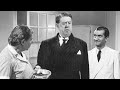
Twin brothers separated at birth — one becomes a crook, the other a respectable citizen. When fate reunites them, chaos follows. A Sacha Guitry classic with de Funes in a memorable supporting role.

Two men smuggle a suitcase full of black-market pork across occupied Paris at night. Bourvil sweats, de Funes schemes, and every encounter with a German patrol gets more absurd. A masterpiece of tension and dark comedy.
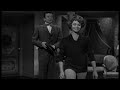
De Funes is Blaireau, the village poacher who outwits the local game warden at every turn. A cat-and-mouse comedy set in the French countryside — pure slapstick joy and one of his first starring roles.
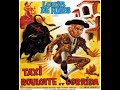
De Funes drags his family on a chaotic road trip through Spain with a tiny car and a caravan. Everything that can go wrong does — border crossings, bulls, and a wife who's had enough.
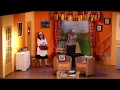
A rich industrialist tries to dump worthless shares on his daughter's fiance. De Funes in full panic mode — lying, scheming, and sweating through every scene. The dinner sequence is comedy gold.

Cruchot gets transferred to Saint-Tropez and immediately goes to war with nudists, hippies, and his own squad. Pure chaos — every scene escalates into madness.
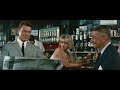
A masked criminal terrorizes Paris with impossible disguises and de Funes plays the bumbling detective convinced he'll crack the case. Jean Marais does triple duty and the gadgets are gloriously 60s.
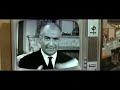
Fantomas is back and more dangerous than ever — kidnapping scientists and replacing them with doubles. De Funes returns as the incompetent Commissioner Juve, now even more paranoid and even funnier.

Bourvil unknowingly drives a car stuffed with gold, diamonds, and heroin across Europe while de Funes chases him in increasingly desperate ways. The Cadillac scene alone is worth watching.

A British bomber crew parachutes into occupied Paris and two ordinary Frenchmen — de Funes and Bourvil — have to smuggle them to the free zone. France's biggest box office hit for 30 years, and every minute earns it.
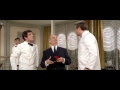
De Funes runs a fancy Parisian restaurant with an iron fist until a South American president vanishes from his dining room. The interrogation scene with the lie detector is one of the greatest comedy sequences ever filmed.
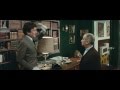
A millionaire discovers his daughter is pregnant, his accountant robbed him, and nothing is what it seems — all in one chaotic morning. De Funes in a confined space losing his mind. Theatrical perfection.
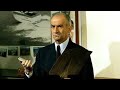
A boat designer creates an unsinkable yacht that immediately sinks. De Funes is the furious boss, and every attempt to fix the situation makes it exponentially worse.
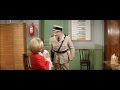
Cruchot falls in love and tries to impress his future mother-in-law while keeping Saint-Tropez in order. Romance de Funes-style means maximum awkwardness and zero smooth moves.
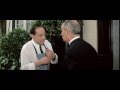
A frozen man from 1905 is thawed out in 1969 and de Funes has to pretend the entire world hasn't changed. The household goes full period cosplay and the situation spirals beautifully.

De Funes plays a tyrannical ballet director who controls every aspect of his troupe. The one-man-band sequence where he plays every instrument simultaneously is legendary physical comedy.
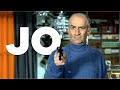
De Funes plays Antoine Doracieux, who accidentally kills his son-in-law and spends the entire film trying to hide the body. Every attempt to dispose of it creates a bigger mess. Dark comedy at its finest.

De Funes is a corrupt Spanish tax collector and Yves Montand is his servant. When the Queen exiles them, the escape plan involves disguises, dungeons, and de Funes in a dress.

De Funes plays a racist factory owner who hides from gangsters in a synagogue, steals a rabbi's clothes, and ends up dancing hora at a Jewish wedding. He was never more chaotic — or more human.
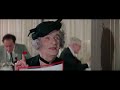
A legendary food critic discovers his guide's ratings are being manipulated by an industrial food magnate. De Funes tasting synthetic food with genuine horror is acting at its finest. His last great pairing with Coluche.
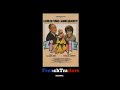
A factory owner's pollution destroys his wife's beloved garden, and she declares total war. De Funes vs. Annie Girardot in a domestic battle that levels everything. The greenhouse scene is devastating.

Aliens land near Saint-Tropez and start replacing the gendarmes with identical clones. De Funes has to figure out who's real while his own team thinks he's lost it. Surprisingly fun sci-fi comedy.
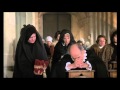
De Funes directs and stars as Moliere's legendary miser, clutching his gold chest with genuine madness in his eyes. The 'my cassette!' monologue is de Funes channeling 400 years of theatrical tradition through pure physical comedy.

Two old farmers in the French countryside attract a friendly alien with their cabbage soup. De Funes and Jean Carmet are the most unlikely sci-fi heroes ever, and the alien just wants more soup.
The final Gendarme film — Cruchot trains female gendarmes and everything goes wrong in the best possible way. A farewell to the character that defined French comedy for two decades.
Why It Works
His films are the perfect antidote to a bad day. Put on Le Gendarme or Rabbi Jacob and try not to laugh — it's impossible. De Funes comedy works across languages because his body does the talking. You don't need subtitles to understand a man losing his mind over a bowl of soup. His frequent collaborations with director Gérard Oury and co-stars Bourvil, Yves Montand, and Jean Gabin produced some of the funniest films ever shot. Whether it's the meticulous chef in L'Aile ou la Cuisse, the tyrannical restaurant owner in Le Grand Restaurant (1966), or the chaos of Les Grandes Vacances (1967), every performance is a masterclass in physical comedy.
Why Mixtuby
Watch Louis de Funes films back-to-back on Mixtuby. No ads cutting into the best gags, no buffering between films. Just press play and let the chaos unfold. Build your own marathon playlist or use our curated selection of his greatest hits.
Biography
Louis Germain David de Funes de Galarza was born on July 31, 1914, in Courbevoie, near Paris. His father was a Spanish-descended lawyer from Seville, his mother Portuguese. He grew up modest, worked dozens of odd jobs — furrier, photographer, accountant, jazz pianist in Pigalle nightclubs — before finding his calling on stage in his thirties.
He was a late bloomer who spent 20 years in tiny roles before becoming the biggest star in France.
What made de Funes unique wasn't just timing or physical comedy — it was intensity. He didn't play angry, he BECAME angry. Every emotion was cranked to eleven.
His face could cycle through rage, terror, cunning, and fake charm in a single take. Directors learned to just let the camera roll because his improvisations were better than any script. He drew inspiration from silent film masters like Buster Keaton and Charlie Chaplin, but his style was entirely his own — louder, faster, more explosive.
Off-screen, de Funes was the opposite of his characters. A quiet man who loved his rose garden in his chateau near Paris, he was devoted to his wife Jeanne and their two sons. He was notoriously shy at parties and avoided the celebrity circuit entirely.
The contrast between the volcanic screen persona and the gentle gardener is one of cinema's great paradoxes.
History
De Funes started with bit parts in the late 1940s — often uncredited, always stealing scenes. His breakthrough came with La Traversee de Paris (1956) alongside Jean Gabin and Bourvil, where he proved he could hold his own against France's biggest stars. But it was Pouic-Pouic (1963) that made him a headliner.
Then came the golden era. Le Gendarme de Saint-Tropez (1964) created his most iconic character — the pompous, incompetent Gendarme Cruchot — and spawned five sequels over 18 years. His partnership with Gerard Oury produced three masterpieces: Le Corniaud (1965), La Grande Vadrouille (1966), and Les Aventures de Rabbi Jacob (1973).
La Grande Vadrouille held the record as France's highest-grossing film for 30 years until Titanic.
His partnership with Bourvil was magic — de Funes the manic schemer, Bourvil the gentle everyman. When Bourvil died in 1970, de Funes lost not just a co-star but the perfect counterbalance to his chaos. He continued with new partners — Yves Montand in La Folie des grandeurs, Coluche in L'Aile ou la Cuisse — but the Bourvil films remain the peak.
Health problems slowed him in the late 1970s after two heart attacks. He continued working but more selectively. His final films — La Soupe aux choux (1981) and Le Gendarme et les Gendarmettes (1982) — showed a gentler, almost melancholic de Funes.
He died on January 27, 1983, at age 68, in Nantes.
Legacy & Influence
Louis de Funes is to French comedy what Chaplin is to silent film — the absolute reference point. He made over 130 films, sold over 200 million tickets in France alone, and remains the country's most popular actor in audience surveys decades after his death. His films are broadcast on French television every holiday season, and each rerun draws millions of viewers.
His influence extends far beyond France. In Germany, Spain, Italy, Eastern Europe, and South America, de Funes is a household name. His physical comedy transcends language barriers — you can watch Le Gendarme de Saint-Tropez without understanding a word of French and still laugh until you cry.
He proved that comedy doesn't need to be intellectual to be brilliant.
A museum dedicated to his life opened in Saint-Raphael in 2018, and his films have been digitally restored in 4K. New generations discover him on YouTube, where clips of his greatest scenes rack up millions of views. The man has been gone for over 40 years, and he's still making people laugh.
That's legacy.
Perfect For
How to Listen
Use over-ear headphones for full bass response and a wider soundstage.
Start at 60% volume — let the mix breathe before cranking it up.
Skip shuffle on your first listen — the track order is curated for flow.
Dim the lights — your brain processes audio more deeply in low-light rooms.
Set your phone to Do Not Disturb — no mid-track notifications breaking the vibe.
🎁 Pick The Perfect Gift For The People You Love
Because nothing beats nailing the gift. Combos picked with real affection, not algorithms — accessible prices, big smiles guaranteed.
The Fan-Era Combo
Vinyl, tee, tour poster — the kit that says you knew them before the algorithm did.
The Bedroom-Listener Set
Headphones, mini speaker, lyric prints. For the friend who plays the album front-to-back.
Powered by Amazon
🛒 Shop Louis de Funes Movies
Hand-picked vinyl, merch & gear for fans.

Louis de Funès Collection — DVD Box Set
The French comedy legend
Essentials of Classic Italian Cooking — Hazan
French & Italian kitchen classics
Yankee Candle — Lavender Vanilla
Provençal ambience

Sony WH-1000XM5 Wireless Noise-Cancelling Headphones
Studio-grade sound, 30h battery

JBL Clip 4 Portable Bluetooth Speaker
Waterproof, clip it anywhere

Audio-Technica ATH-M50x Professional Studio Headphones
The industry standard for mixing
Powered by Amazon
Louis de Funes Movies — FAQ
What's the best gift for a Louis de Funes Movies fan?
It depends on the kind of fan. Top picks: The Vinyl Collector: JBL Clip 4 Portable Bluetooth Speaker · The Casual Fan: Louis de Funès Collection — DVD Box Set · The Audiophile: Sony WH-1000XM5 Wireless Noise-Cancelling Headphones · The Decorator: Essentials of Classic Italian Cooking — Hazan. See the Gift Ideas section above for a hand-picked guide by buyer type.
What Louis de Funes movies can I watch here?
The complete filmography — 20 feature films from La Traversee de Paris (1956) to Le Gendarme et les Gendarmettes (1982). Many available as full movies on YouTube, others as trailers.
Can I watch full movies for free?
Yes! Films marked with the cyan Full Movie badge can be watched entirely for free on YouTube through Mixtuby. No account needed, no ads.
What's the best Louis de Funes film to start with?
Le Gendarme de Saint-Tropez or La Grande Vadrouille. Both are peak de Funes — maximum chaos, maximum laughs. If you want something shorter, try Le Grand Restaurant.
Can I create a movie playlist?
Absolutely! Click the + Add button on any film or trailer to build your personal movie marathon. Your playlist saves automatically.
Are the films in French?
Most films are in French. Many YouTube versions include English subtitles. Some have been dubbed into English, German, or Spanish.
Who was Louis de Funes?
The greatest French comedy actor of all time. Born 1914, died 1983. He made over 130 films and sold 200+ million tickets in France alone. Think of him as France's answer to Jim Carrey — but decades earlier and arguably funnier.
What's his most famous film?
La Grande Vadrouille (1966) held France's box office record for 30 years. But Le Gendarme de Saint-Tropez and Les Aventures de Rabbi Jacob are equally iconic.
You Might Also Like
Best for Your Mood
Explore More
—