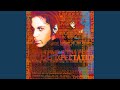

Prince

Updated July 2026 · 39 albums · 459 tracks · Free
Start Play All tracks

Prince played every instrument on his albums. Drums, bass, guitar, piano, synthesizers — all him. He wrote, produced, arranged, performed, and engineered the records himself. Purple Rain (1984) sold 25 million copies and spawned a film that won an Academy Award. Sign o' the Times (1987) is a double album that most critics call the greatest of the 80s. When Doves Cry had no bass. Kiss had no drums. 1999 was funk that made white kids dance. Nobody did what Prince did, and nobody will.
Prince — listen free on Mixtuby

Discography

Explore the complete Prince studio albums. Click any album to see the full track list and listen.
For You by Prince — album cover
For You 1978
9 tracks ·

Prince by Prince — album cover
Prince 1979
9 tracks ·

Dirty Mind by Prince — album cover
Dirty Mind 1980
8 tracks ·

Controversy by Prince — album cover
Controversy 1981
8 tracks ·

1999 by Prince — album cover
1999 1982
11 tracks ·

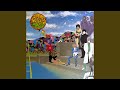
Purple Rain by Prince — album cover
Purple Rain 1984
9 tracks ·

Around the World in a Day by Prince — album cover
Around the World in a Day 1985
9 tracks ·

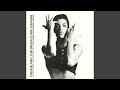
Parade by Prince — album cover
Parade 1986
10 tracks ·

Sign “☮︎” the Times by Prince — album cover
Sign “☮︎” the Times 1987
16 tracks ·

Lovesexy by Prince — album cover
Lovesexy 1988
9 tracks ·

Batman by Prince — album cover
Batman 1989
9 tracks ·

Graffiti Bridge by Prince — album cover
Graffiti Bridge 1990
12 tracks ·

Diamonds and Pearls by Prince — album cover
Diamonds and Pearls 1991
12 tracks ·

Love Symbol Album by Prince — album cover
Love Symbol Album 1992
15 tracks ·

[The Black Album] by Prince — album cover
[The Black Album] 1994
8 tracks ·

Come by Prince — album cover
Come 1994
10 tracks ·

The Gold Experience by Prince — album cover
The Gold Experience 1995
18 tracks ·

Chaos and Disorder by Prince — album cover
Chaos and Disorder 1996
11 tracks ·

Emancipation by Prince — album cover
Emancipation 1996
36 tracks ·

The Truth by Prince — album cover
The Truth 1997
12 tracks ·

Crystal Ball by Prince — album cover
Crystal Ball 1998
30 tracks ·

Rave Un2 the Joy Fantastic by Prince — album cover
Rave Un2 the Joy Fantastic 1999
17 tracks ·

The Vault… Old Friends 4 Sale by Prince — album cover
The Vault… Old Friends 4 Sale 1999
10 tracks ·

The Rainbow Children by Prince — album cover
The Rainbow Children 2001
15 tracks ·

One Nite Alone… by Prince — album cover
One Nite Alone… 2002
10 tracks ·

N.E.W.S. by Prince — album cover
N.E.W.S. 2003
4 tracks ·

Xpectation by Prince — album cover
Xpectation 2003
9 tracks ·

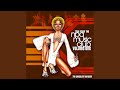
Trax From the NPG Music Club, Volume One: The Chocolate Invasion by Prince — album cover
Trax From the NPG Music Club, Volume One: The Chocolate Invasion 2004
10 tracks ·

Musicology by Prince — album cover
Musicology 2004
12 tracks ·

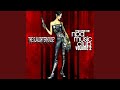
The Slaughterhouse: Trax From the NPG Music Club, Volume 2 by Prince — album cover
The Slaughterhouse: Trax From the NPG Music Club, Volume 2 2004
10 tracks ·

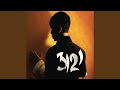
3121 by Prince — album cover
3121 2006
12 tracks ·

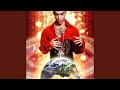
Planet Earth by Prince — album cover
Planet Earth 2007
10 tracks ·

Lotusflow3r by Prince — album cover
Lotusflow3r 2009
9 tracks ·

20Ten by Prince — album cover
20Ten 2010
10 tracks ·

Art Official Age by Prince — album cover
Art Official Age 2014
13 tracks ·

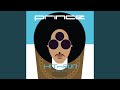
HITnRUN Phase One by Prince — album cover
HITnRUN Phase One 2015
11 tracks ·

HITnRUN Phase Two by Prince — album cover
HITnRUN Phase Two 2015
12 tracks ·

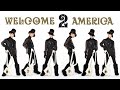
Welcome 2 America by Prince — album cover
Welcome 2 America 2021
12 tracks ·

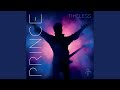
Timeless by Prince — album cover
Timeless 2026
2 tracks ·

Why It Works

Listen to Prince's essential studio discography on Mixtuby — 18 canonical albums from For You (1978) through 3121 (2006). 220+ tracks covering the funk debut era, the Purple Rain explosion, the artistic peak of Sign o' the Times, the Love Symbol period, and the 2000s comeback. No ads interrupting the nine-minute "Purple Rain" guitar solo. No shuffle breaking the sequence.

Why Mixtuby

Unlike Spotify or Apple Music, Mixtuby doesn't need an account. Open the page, hit play, Purple Rain starts. We organise the catalog chronologically so you can hear the full evolution — the early funk, the Warner Bros. peak, the independent era, and the NPG-backed comeback. Prince's catalog was famously restricted from streaming for years. On Mixtuby, you get it all in one place.

Biography

Prince Rogers Nelson was born in Minneapolis on June 7, 1958. He was playing piano at age seven. He wrote his first song, "Funk Machine," at eleven.

He taught himself guitar, bass, and drums before he finished high school. At 19 he signed to Warner Bros. with a contract giving him full artistic control — unheard of for a teenage debut artist.

For You (1978) was the debut where he played every instrument himself. Prince (1979) had "I Wanna Be Your Lover." Dirty Mind (1980) shocked with its sexual explicitness.

Controversy (1981) was the political statement. 1999 (1982) introduced the world to the Linn LM-1 drum machine. Then came Purple Rain.

Purple Rain (1984) turned him from a cult funk artist into a global superstar overnight. The album sold 25 million copies. The film won an Oscar for Best Original Song Score.

"When Doves Cry" was the first chart-topping single with no bass line. He was 25 years old.

He died on April 21, 2016, from an accidental fentanyl overdose. He was 57. He left behind a vault of thousands of unreleased recordings — enough for a new album every year for the next century.

History

Purple Rain (June 1984) is the cultural landmark. "Let's Go Crazy" opens with the sermonising spoken intro before the power chord hits. "When Doves Cry" has no bass — Prince removed it in the final mix because it sounded better without.

"Purple Rain" is the nine-minute arena rock masterpiece. "I Would Die 4 U." The album won an Oscar.

Prince was 25. It's still the benchmark.

Sign o' the Times (March 1987) is the critical peak. A double album after Prince scrapped a triple album called Crystal Ball. "Sign o' the Times" is the funk social commentary.

"U Got the Look" is the rock-funk hybrid with Sheena Easton. "Adore" is the slow-burn ballad. Most critics rank it the greatest album of the 80s.

Love Symbol Album (1992) was released during his dispute with Warner Bros. — he changed his name to an unpronounceable symbol in protest. "7" is the apocalyptic track.

"My Name Is Prince" is the declaration. "Gold" is the rock anthem. The album is an underrated masterpiece.

Diamonds and Pearls (1991) with The New Power Generation spawned "Cream" (his first #1 as a co-credit), "Gett Off," "Diamonds and Pearls," and "Money Don't Matter 2 Night." Musicology (2004) was the comeback — 3 million copies sold, Grammy for Best R&B Album.

Legacy & Influence

Prince is the template for every self-contained superstar since. Lenny Kravitz, D'Angelo, Bruno Mars, The Weeknd, Janelle Monáe — every multi-instrumentalist artist who plays everything on their own records traces back to Prince. Every late-period Stevie Wonder album influenced Prince, and every early-period Prince album influenced everyone after.

He won 7 Grammy Awards and an Academy Award. He was inducted into the Rock and Roll Hall of Fame in 2004. Rolling Stone ranks him #27 on the list of greatest artists of all time.

His guitar solo on Purple Rain is one of the ten greatest rock guitar solos ever recorded. His guitar solo on While My Guitar Gently Weeps at the 2004 Rock and Roll Hall of Fame ceremony (with Tom Petty, Jeff Lynne, and Dhani Harrison) is the most replayed guitar moment of the last 20 years.

150 million records sold worldwide. 39 studio albums. Thousands of unreleased tracks in the Paisley Park vault.

He was 57 years old when he died. He should have had another 30 years.

Perfect For

For parties

1999, Raspberry Beret, and Let's Go Crazy are pure dance floor.

For studying funk

Kiss, When Doves Cry, and Sign o' the Times are the funkiest 80s tracks ever.

For romantic nights

Adore, Scandalous, and Insatiable are the Prince slow-jam classics.

For driving

Purple Rain and Let's Go Crazy are built for long highway drives.

For studying songwriting

18 albums — the complete education in 80s pop-funk-rock fusion.

For dance classes

U Got the Look, Cream, and Thieves in the Temple have groove built in.

How to Listen

1

Start with Purple Rain — it's both the commercial and critical peak

2

Sign o' the Times is the double-album masterpiece — budget 80 minutes

3

Love Symbol (1992) is underrated — his freest, most experimental era

4

The Gold Experience (1995) has 'The Most Beautiful Girl in the World' — his most romantic peak

Ready to listen?

No account needed. Just press play.

Open Mixtuby

🎁 Pick The Perfect Gift For The People You Love

Because nothing beats nailing the gift. Combos picked with real affection, not algorithms — accessible prices, big smiles guaranteed.

Powered by Amazon

Stay in the Loop

New playlists, features & artist drops. No spam, unsubscribe anytime.

Prince — FAQ

What's the best gift for a Prince fan?

It depends on the kind of fan. Top picks: The Vinyl Collector: Prince - Purple Rain (Vinyl LP) · The Casual Fan: Prince T-Shirt (Official Merch) · The Audiophile: Sony WH-1000XM4 Wireless Headphones · The Decorator: Prince Poster — Purple Rain Album. See the Gift Ideas section above for a hand-picked guide by buyer type.

Can I listen to Prince free on Mixtuby?

Yes — 18 Prince studio albums are available free on Mixtuby with no account needed. 220+ tracks from For You (1978) to 3121 (2006), covering every era. Press play and it starts. No account, no ads.

What is Prince's best album?

Sign o' the Times (1987) is widely considered Prince's masterpiece — a double album that most critics rank the greatest record of the 80s. Purple Rain (1984) is the commercial peak that sold 25 million copies. 1999 (1982) introduced the synth-funk template. Start with Purple Rain for the hits, Sign o' the Times for the depth.

How many Grammy Awards did Prince win?

Prince won 7 Grammy Awards during his lifetime, plus a posthumous Lifetime Achievement Grammy in 2020. He also won the Academy Award for Best Original Song Score for Purple Rain in 1985. He was inducted into the Rock and Roll Hall of Fame in 2004 on the first ballot.

Did Prince play every instrument on his albums?

On his early albums (For You, Prince, Dirty Mind), Prince played virtually every instrument — drums, bass, guitar, piano, synthesizers. For later albums he worked with The Revolution (Purple Rain era) and The New Power Generation (Diamonds and Pearls era), but still handled most of the arrangements, solos, and production himself.

When did Prince die?

Prince died on April 21, 2016, at his Paisley Park compound in Minneapolis. He was 57. The cause was an accidental overdose of fentanyl. He left behind a vault of thousands of unreleased recordings that have been gradually released since his death — including the posthumous albums Piano and a Microphone 1983 (2018) and Welcome 2 America (2021).

Mixtuby — Mix. Play. Enjoy.

As an Amazon Associate I earn from qualifying purchases.

App Guide

What is Mixtuby?

A free YouTube music player and mixer. Pick a mood or browse curated playlists, paste your own YouTube links, and enjoy continuous, gapless playback (with crossfade on desktop). On top of the music: karaoke with synced lyrics, A-B loop, and Vibe Mode — the original Mixtuby experience, with relaxing games and sleep tools. Not just music: anything that plays on YouTube works here — full movies, podcasts, DJ mixes. No account required.

Tap Mix. Play. Enjoy. to dive into Vibe Mode.

Quick Start

1

Add music

Search for songs directly, paste YouTube links, or scroll down and tap any curated album card. Preview tracks before adding — tap ▶ to listen, drag the seekbar to seek, then tap + to add to your playlist.

2

Play & customize each track

Press Play, then tap the settings icon on any track in your playlist to set its speed, A-B loop region, and volume. Tap Next to save and move to the next track.

3

Enjoy continuous playback

Tracks flow one into the next with no silence — gapless on phone and tablet, with a smooth crossfade on desktop. Your playlist, position, and settings auto-save right on this device — reopen Mixtuby and you land back on the exact playlist, track, and spot you were last listening to here.

Continue on another device

Start a song on your phone, finish it on your laptop. Sign in with the same account on both — cross-device resume is off for guests.

1

Play on one device

Listen as usual. While music is playing, Mixtuby quietly saves your current track, exact position, and whole queue every few seconds.

2

Open Mixtuby on the other device

A toast slides in at the top: “Resumed from iPhone · 2:14” — showing where you left off. Nothing changes until you choose.

3

You decide — import or dismiss

Two clear choices, never automatic — see below.

Tap the toast to import Tap the toast (the → arrow) and your full queue jumps over and continues from the exact second you left off on the other device.
×
Tap × to keep this device Don't want it? Tap × and whatever is already on this device stays untouched. The toast also closes on its own after 30 seconds if you ignore it.

Search & Preview

The fastest way to build a playlist — search, listen, and add without leaving the page.

Preview a track Tap ▶ on any search result to hear it instantly. The full track plays in the main player with a seekbar on the result row.
DRAG
Seek within preview Drag the seekbar on the previewing track to jump to any point. A time bubble shows the exact position.
+
Add to playlist Tap + to add the track to your playlist. Preview stops automatically. Switch between results freely — only the last tapped plays.
TIP
Quick playlist workflow Search → ▶ preview → + add → search again → repeat. When done, tap Start Mix. Your previewed and added tracks are ready for continuous playback!

Find a Song by Lyrics

Forgot the title but remember a line — or just a few fuzzy words? Open the By Lyrics tab (the magnifier, next to Quick Start and Add Tracks) and let Mixtuby find it for you.

TYPE
Type or paste a line you remember Type a chorus line, paste a whole refrain, or just a few half-remembered words — the box grows to fit. Exact wording, spelling and order don't matter; a close fragment is enough.
🔍
Tap Search Nothing happens as you type — tap the search button when you're ready. Mixtuby checks its own catalog first, and only reaches out to find the song if it needs to.
💡
Not sure? Pick a “Did you mean?” suggestion If your words are too fuzzy to match exactly, Mixtuby AI suggests up to 3 songs it thinks you mean (artist — title, with the real line). Tap the right one and it loads into your player.
Tap a result to play Found it? Tap the matching song and it loads straight into your player, ready to go.

Hidden Gestures

These are not obvious from the UI — learn them to get the most out of Mixtuby.

HOLD
Skip 5s buttons Tap to skip 5 seconds. Hold down to skip 5s every 0.3 seconds continuously until you release.
TAP / HOLD
A: and :B markers Tap the A: or :B label to set it to the current playback time. Long press to type a specific time manually.
TAP
✂ Share a segment When A-B loop is active, a ✂ duration label appears above the progress bar. Tap it to share that exact segment with a link.
HOLD
Theme toggle (moon icon) Tap to switch dark/light. Long press to activate system theme (follows your device settings automatically).
SWIPE
Pull to refresh (mobile) Pull down from the top of the page on mobile to reload.
DRAG
Reorder & resize playlist Drag the handle on any track to reorder. Swipe left to remove. Drag the bottom edge of the playlist to resize its height.
TAP
Grid ↔ carousel layout toggle Tap the layout button next to Quick Start and Saved Playlists to flip the album cards between a vertical grid and a horizontal swipeable carousel. Swipe (or click-drag on desktop) to scroll the carousel. Mixtuby remembers your choice for next time.

Per-Track Settings

Tap the gear icon on any track in your playlist to open its settings. Each track can have its own:

  • Speed — 0.25x to 2x (great for practice or podcasts)
  • A-B Loop — set start/end points, loop count, and what happens after loop ends
  • Volume — override the global volume for this track

Tap Next in the dialog to save and jump to the next track — perfect for setting up an entire playlist quickly.

Settings Panel

Open Settings (gear icon in navbar) to find these options:

Sleep Timer Set a timer (15m to 120m) and music fades out automatically. A countdown badge appears in the player. Tap again to cancel.
Notifications & Reminders Set gentle reminders to come back and play music, even when Mixtuby is closed. Off by default. See the Reminders section below for details.
Now Playing Shows the track name as an in-app toast (and a browser notification) when a new song starts, even with Mixtuby in the background. Stays on your device — off by default.
Crossfade (desktop) & Gapless On desktop, crossfade blends tracks together (1-30s). On iPhone and iPad, playback is gapless — each track goes straight into the next with no overlap. Turn crossfade off any time to force gapless everywhere.
Stars Theme, Video Quality, Audio Mode Enable animated stars background, choose video quality (360p–1080p), or switch to Audio-only mode to save data.

Reminders

Gentle nudges to come back and play music — they arrive even when Mixtuby is closed, in your own local time. Open Settings → Notifications to set them up. No account needed.

1

Turn on a reminder

In Settings → Notifications, flip on the Daily Mix card. The first time, your browser asks to allow notifications — tap Allow. On iPhone you must install Mixtuby to your Home Screen first.

2

Pick the time

Choose when the reminder fires — it arrives at the exact minute you set (17:44 means 17:44), always in your local time, no matter where you travel. Change the time later and you get a fresh reminder the same day.

3

Pick how often

Set the frequency: Daily, Every 3 days, Weekly (pick one weekday), or Custom (tap any days of the week you like).

Tap a reminder and Mixtuby opens right where you left off — same playlist, track, and spot. Turn a reminder off anytime — the device is unsubscribed and stops receiving it.

Sleep Mode tools

Sleep Mode is a calm full-screen mode with relaxing games and tools that play over your music — Karaoke, Rubber Duck, Baby Sleep, Typo, Breathe, Party, Shooter, Constellation, Dropbeat, and Gems. They are all free, no account needed.

🌙
Browse every tool Open the Features page (/features) to see the full list of Sleep Mode tools, each with a short description.
TAP
Play now — jump straight in Tap Play now on any tool and Mixtuby enters Sleep Mode with that tool already open over your music — no setup.
🔗
Share a tool Tap to open a tool's Paused · Settings, then Share this game / tool 🔗. It opens your device's share sheet (or copies the link on desktop) — whoever opens the link lands straight in that tool over their music.

Karaoke — Sing Along

Time-synced lyrics that scroll line by line over whatever is playing. Open Sleep Mode (moon icon) and tap Karaoke — the current line highlights automatically and follows the song. Switch tracks and the lyrics follow. Works on any YouTube song that has lyrics on file; if none exist, karaoke just stays off for that track.

Learn more about Karaoke →

Screen Lock (Child Lock)

Locks the screen so a child or a nightstand phone can't change the track, skip, or exit by accident — the music keeps playing. Screen Lock works with a free account. Tap the 🔒 lock button in the top navbar to lock; it then turns red.

Set or change the PIN in the Player Settings panel (Screen Lock card). Your PIN is saved to your account and follows you across devices. Forgot it? On the keypad, tap "Forgot?" — this signs you out (stops the music); set a new PIN after signing back in.

Rubber Duck (DJ Quack)

Digital debugging companion from The Pragmatic Programmer. Enable in Settings → Rubber Duck. Tap the duck button to summon DJ Quack — 12 skins, animated affirmations, particle effects. Explain your problem to the duck and find the solution yourself.

Learn more about Rubber Duck →

Sleep & Relax

Science-based sleep aid. Enable in Settings → Baby Sleep Game. In Sleep Mode, tap Sleep → choose a playlist (Baby, Rain, 528Hz...) → set timer → Start. Ducks fall slowly, tap to catch with warm particle effects. Screen dims progressively. Based on Cognitive Shuffle, bilateral tapping, and progressive dimming.

Learn more about Sleep & Relax →

Breathe

Guided breathing to fall asleep or calm down. In Sleep Mode, tap the Breathe card, pick a technique, then Start breathing. An animated circle expands as you inhale and shrinks as you exhale, with the phase and a countdown shown inside.

🎯
Pick by how you feel Each technique shows the benefit it's linked to: 4-7-8 to lower cortisol and ease into sleep, Box to reduce stress, Coherent to ease anxiety, Physiological Sigh to lower panic fast, Wim Hof to boost energy, Alternate Nostril to sharpen focus. A relaxation aid, not medical care.
🌬️
6 science-backed techniques Choose 4-7-8, Box, Coherent, Wim Hof, Physiological Sigh, or Alternate Nostril. Tap the info button on a technique to read what it does and the research behind it.
🔊
Sound cues — breathe with eyes closed Tap the Sound button to hear a real breath play as you inhale and exhale, with a short bip marking the end of each phase. Holds stay silent. Now you can follow along without looking at the screen.
⚙️
Pause & quick settings Tap the ⏸ button to pause the exercise, or the ⚙ button for quick settings — toggle the breath Sound, the background Music, and a Mini player so your song stays in reach.

Party Light Show

Turn the screen into a full-screen light show synced to the vibe. In Sleep Mode, tap the Party card to launch 11 effects — including a strobing Blitz mode and a packed Insane mode. Set the intensity, and drop your own custom text in the center with size and color controls. Great as a second-screen visual at a party while your playlist plays.

Rhythm games — Typo & Shooter

Two quick arcade games that play over your music. Open Sleep Mode and tap a card to start — your best score is kept on the leaderboard.

⌨️
Typo — type the falling words Type each word before it reaches the bottom. You're scored on speed and accuracy. When lyrics are available, the words can come from the song you're playing.
🎯
Shooter — tap on the beat Targets fly in to the beat — tap to shoot them before they pass, and chain hits for combo multipliers. Any track becomes a playable level.

Constellation — trace the stars

A calm star-tracing game in Sleep Mode. Open Sleep Mode (moon icon) and tap Constellation, then pick how you want to play. Your rank and collection are kept on this device — no account needed.

HUNT
Hunt — find the hidden shape You get a constellation's name and a tiny FIND THIS poster in the corner. The real stars hide among look-alike decoys — tap the right ones to trace the figure. More decoys appear as your collection grows.
SLEEP
Sleep — calm & no-fail The next star gently breathes — just follow it. No timer, no misses, made for drifting off.
PUZZLE
Puzzle — memorize, then rebuild Watch the lit shape for a moment, then rebuild it from memory once the stars go dark.
Score, ranks & the 88 collection The big number counts every star tap (e.g. “4/4”). Finish clean — exactly the star count in Hunt, no wrong pairs in Puzzle — to earn an XP bonus; a sloppy finish still reveals the constellation but skips the bonus. XP builds a named rank (Stargazer → Cosmographer), and each first-time finish banks toward “X / 88 discovered” with a one-time First light bonus.

At the reveal you see the constellation's name, a short fact, and its myth — the story behind the figure. It holds a little longer so you can read it; tap Skip to jump ahead. Tap any discovered constellation in your collection to re-read its story. Want a harder Hunt? Pause and turn off the Reference poster in Settings to hide the FIND THIS outline.

Dropbeat — blocks on the beat

A falling-blocks game where the pieces drop on the beat. Open Sleep Mode (moon icon) and tap Dropbeat, then pick a vibe to start. Move and rotate the pieces to clear full rows — your best score is kept on the leaderboard.

🎵
Pick a vibe — it sets music & tempo Choose Ambient, Lo-Fi, Hip-Hop, Pop, Electro, or Rock. Your pick sets both the background playlist and how fast the blocks fall — Ambient is the calmest, Rock the fastest.
⚙️
Pause & quick settings Tap ⏸ to pause, then the ⚙ button for quick settings — toggle the game Sound, the background Music, and a Mini player so your song stays in reach.

Gems — match three

A match-3 puzzle over your music. Open Sleep Mode (moon icon) and tap Gems. Swap two neighbouring gems to line up 3 or more of a colour — they pop, the board cascades, and chains build into combos. Match 4 clears a whole line; match 5 makes a colour-bomb.

TIMED
Timed — 60-second score attack Score as high as you can in 60 seconds — your best run is kept on the leaderboard.
ENDLESS
Endless — play with no clock Keep matching for as long as you like, no timer pushing you.
ZEN
Zen — calm & no pressure A relaxed mode for winding down — just swap and watch the gems cascade.

Keyboard Shortcuts (Desktop)

Space Play / Pause
M Mute
← → Seek ±10s
↑ ↓ Volume ±10
N Next track
P Previous track
S Shuffle
R Repeat mode
F Fullscreen
1-200 Jump to track # (type fast for multi-digit)

Example: Gym Playlist

1. Paste your favorite tracks or load a curated album
2. Tap each track's settings icon → set A-B loop on just the chorus → tap Next
3. Hit Play — only choruses play, one after another, back to back. Non-stop energy!
4. Set a sleep timer if listening in bed. Install as app for the best experience.

Works for gym, running, studying, cooking, driving — any activity where you want only the best parts.

Why don't I always see ads?

Ad display is controlled entirely by YouTube — based on the video owner's monetization settings, autoplay behavior, your region, and your YouTube account. Mixtuby does not block ads. They may appear at any time.

How do I listen with the screen locked?

Background playback depends on your device and browser, not just on Mixtuby. On iOS, embedded players pause when the screen locks — YouTube Premium does not change this for third-party sites. On desktop and many Android setups, if you're signed in to YouTube in the same browser, playback can continue in the background. Lock-screen and Bluetooth controls work whenever the browser allows it. For guaranteed screen-off listening, keep the screen on (Focus mode) or use the official YouTube app.

Control from your car, lock screen & Bluetooth

Mixtuby talks to your device's built-in media controls — so you can skip tracks without touching the screen. Perfect for driving, the gym, or pocket listening.

🚗
Car & Bluetooth buttons Steering-wheel, infotainment, and earbud/headphone next/previous and play/pause buttons control Mixtuby directly.
🔒
Title & artwork on display The lock screen and car display show the current track title and artwork, with skip and pause controls.
🎙️
"Hey Google, next track" / Siri Use Google Assistant on Android or Siri Now Playing on iOS to skip tracks by voice. (This is your phone's assistant — Mixtuby has no built-in voice command.)

With the screen on and Mixtuby in the foreground, these controls work for everyone. The real hands-free case — screen off or phone in your pocket — depends on your device and browser, not on Mixtuby (see "How do I listen with the screen locked?" above).

Ask your browser's AI to play music

If your browser has a built-in AI assistant (like Gemini in newer Chrome), Mixtuby teaches it a few tricks. Just ask in plain words — “play some focus music” or “search Mixtuby for Adele” — and the assistant can do it for you, hands-free.

🔎
Search & browse, hands-free Your assistant can search Mixtuby's catalog, list the curated playlists, or check what's trending — and read the results back to you, without you tapping anything.
Start a playlist or a Vibe tool Ask it to play a curated playlist or open a Vibe Mode tool (Karaoke, Breathe, Party…) and it opens Mixtuby right on what you asked for.
NOTE
No AI in your browser? Nothing changes This only works if your own browser has a compatible AI assistant. On every other browser Mixtuby behaves exactly as before — nothing is added, removed, or sent anywhere. The assistant runs inside your browser; Mixtuby just lets it search our own catalog and open links for you.

You're offline

Playback requires an internet connection. Your playlist and position are saved — music will resume automatically when you're back online.