

BTS — Albums & Full Discography
BTS broke K-pop's glass ceiling so thoroughly that the genre had to be reclassified. They became the first Korean act to hit No. 1 on the Billboard 200, the first to perform at the Grammy Awards, and the first to address the United Nations General Assembly — twice. What makes them genuinely interesting is that none of it was a fluke: BTS built it from the ground up, over years, in a culture that barely knew K-pop existed.
Discography
Explore the complete BTS studio albums. Click any album to see the full track list and listen.

BTS's debut full-length studio album — raw, aggressive hip-hop energy before they became a global phenomenon. Danger and War of Hormone showed the world what Bangtan was about.

BTS's debut Japanese studio album. Features Japanese versions of their early Korean hits alongside original Japanese tracks like Iine! and The Stars.

The album that broke BTS internationally. Blood Sweat & Tears was the moment, but Wings runs deep — seven solo tracks, each member telling their own story through sound.

BTS's second Japanese studio album. Features Japanese versions of Wings and HYYH era hits alongside original Japanese tracks Good Day and Wishing on a Star.
Their first Billboard 200 No. 1. FAKE LOVE hit the world like a freight train. Love Yourself: Tear is BTS at peak emotional intensity — polished, devastating, unstoppable.
BTS's third Japanese studio album. Bridges the Love Yourself era with Japanese originals Don't Leave Me, Crystal Snow, and Let Go alongside Japanese versions of Korean hits.
Twenty tracks across two concepts: Persona and Shadow. BTS reflected on seven years together, welcoming the darkness (Black Swan) as much as the light (ON, Boy With Luv).
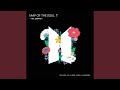
BTS's fourth Japanese studio album. Features Japanese versions of Map of the Soul: 7 highlights alongside original Japanese tracks Lights and Your eyes tell.

Made entirely by the members during the pandemic. Life Goes On was the anthem no one knew they needed. BE is BTS being human — not megastars, just seven people figuring out the world.

The comeback album after all seven members completed mandatory military service. Named after Korea's most beloved folk song, Arirang is BTS returning to their roots while looking forward.
Why It Works
Their catalog is more varied than most Western listeners expect. DNA and Dynamite are perfect pop songs. Blood Sweat & Tears is dark and cinematic. Black Swan is art music. Life Goes On was written in a pandemic and sounds exactly like one. Whether you need high-energy pop or something more introspective, BTS has an album for it.
Why Mixtuby
Mixtuby streams the complete BTS discography — studio albums, B-sides, and the full 2026 comeback album Arirang. No region locks, no ads, no YouTube Premium required. Just the music.
Biography
BTS (Bangtan Sonyeondan — Bulletproof Boy Scouts) debuted on June 13, 2013 under Big Hit Entertainment in Seoul, South Korea. The seven members — RM, Jin, Suga, J-Hope, Jimin, V, and Jungkook — were assembled as a hip-hop group and spent their early years performing at small venues while other K-pop acts dominated stadiums. What separated BTS from the beginning was authenticity.
Their early music addressed school pressure, societal expectations, and mental health — topics K-pop rarely touched. RM and Suga wrote their own lyrics from day one. The group communicated directly with fans through daily social media posts and behind-the-scenes content, building a relationship that felt personal rather than manufactured.
All seven members completed mandatory South Korean military service between 2022 and 2025. Jin enlisted first in December 2022; the full group was discharged by June 2025 — making their 2026 comeback album Arirang the first BTS release with all members fully present since 2022.
History
BTS's international breakthrough happened gradually, then all at once. Dark & Wild (2014) introduced them as a hip-hop group. Wings (2016) — with its solo tracks and Blood Sweat & Tears — was the record that made the world pay attention.
Love Yourself: Tear (2018) debuted at No. 1 on the Billboard 200, a milestone that no Korean act had ever achieved. Map of the Soul: 7 (2020) arrived just as COVID shut down live music globally.
They pivoted fast: Dynamite (2020) was their first English-language single and debuted at No. 1 on the Hot 100. Butter (2021) and Permission to Dance (2021) followed.
BE (2020), made entirely by the members during lockdown, showed a more vulnerable, human side. The military service period (2022-2025) was framed as a pause, not an end. Comeback album Arirang, named after Korea's most beloved traditional folk song, was released March 20, 2026 — the first full-group studio album since Map of the Soul: 7.
Legacy & Influence
BTS's commercial impact is quantifiable but their cultural impact is harder to measure. They generated an estimated $3.6 billion for the South Korean economy annually at peak.
The "BTS Effect" on Korean tourism, entertainment, and soft power is studied in university economics departments. Their ARMY fandom is the most organized in the world — coordinating streaming campaigns, charity projects, and political activism at scale that has no parallel. When BTS spoke at the UN about climate change and self-acceptance, they weren't celebrities playing a role.
They were the most influential voices in a room of heads of state. Five Grammy nominations, the first K-pop act to perform at the Grammys, the first Korean artist on the cover of Rolling Stone, Time magazine's Entertainer of the Year. The numbers tell the story.
What the numbers don't tell you is how a group of seven kids from Seoul rewired what it means to be a global pop act in the 21st century.
Perfect For
How to Listen
Wings is best listened to in order — each solo track tells one member's story
Enable crossfade (desktop) for seamless transitions between BTS tracks
The Greatest Hits playlist covers all eras from debut to 2026 comeback
Watch live performances on YouTube after studio versions — the same songs hit differently live.
Create a dedicated listening session — close other tabs, no multitasking, just the music.
🎁 Pick The Perfect Gift For The People You Love
Because nothing beats nailing the gift. Combos picked with real affection, not algorithms — accessible prices, big smiles guaranteed.
The Fan-Era Combo
Vinyl, tee, tour poster — the kit that says you knew them before the algorithm did.
The Bedroom-Listener Set
Headphones, mini speaker, lyric prints. For the friend who plays the album front-to-back.
Powered by Amazon
🛒 Shop BTS — Albums & Full Discography
Hand-picked vinyl, merch & gear for fans.

BTS Map of the Soul: 7 T-Shirt

BTS Love Yourself: Tear — Vinyl

BTS Map of the Soul: 7 — CD

Sony WH-1000XM5 Headphones

BTS Group Photo Poster

Audio-Technica AT-LP60X Turntable
Powered by Amazon
BTS — Albums & Full Discography — FAQ
What's the best gift for a BTS — Albums & Full Discography fan?
It depends on the kind of fan. Top picks: The Vinyl Collector: BTS Love Yourself: Tear — Vinyl · The Casual Fan: BTS Map of the Soul: 7 T-Shirt · The Audiophile: Sony WH-1000XM5 Headphones · The Decorator: BTS Group Photo Poster. See the Gift Ideas section above for a hand-picked guide by buyer type.
Is BTS music free on Mixtuby?
Yes. All BTS tracks stream free via YouTube. No account required, no ads, no YouTube Premium needed.
Does Mixtuby have the 2026 BTS comeback album Arirang?
Yes. Arirang (2026) is included in the full BTS discography on Mixtuby — BTS's first studio album with all seven members after completing military service.
What BTS album should I listen to first?
Start with Map of the Soul: 7 if you want the full BTS experience — it covers their range from hip-hop to art pop. For pure pop hits, start with the Greatest Hits playlist which includes DNA, Dynamite, Butter, and Blood Sweat & Tears.
How many BTS albums are on Mixtuby?
Mixtuby includes 6 BTS studio albums: Dark & Wild, Wings, Love Yourself: Tear, Map of the Soul: 7, BE, and the 2026 comeback album Arirang.
Are BTS songs available in English on Mixtuby?
Several BTS tracks are in English — Dynamite, Butter, and Permission to Dance are fully English-language singles. Most of their catalog is in Korean, with some tracks mixing both languages.
Can I listen to BTS without a Spotify or Apple Music account?
Yes. Mixtuby streams BTS free via YouTube. No Spotify, no Apple Music, no account required. Just open the page and press play.
You Might Also Like
Best for Your Mood
Explore More
—