

Taylor Swift — Albums & Full Discography
Taylor Swift has sold over 200 million records worldwide and broken chart records so consistently that tracking them becomes its own part-time job. But here's what the numbers don't tell you: she writes every record as a complete artistic statement, treats genre as something to pick up and put down when the mood changes, and has twice in a career restarted from scratch with a sound nobody expected. Taylor Swift is, genuinely, one of a kind.
Discography
Explore the complete Taylor Swift studio albums. Click any album to see the full track list and listen.

Taylor Swift's self-titled debut at just 16. The album that introduced a storytelling voice unlike anything country had heard before — Tim McGraw, Teardrops on My Guitar, Our Song.
The snake era. Taylor Swift's most sonically aggressive album. Look What You Made Me Do announced it; Delicate is its hidden heart.
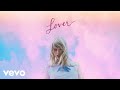
After reputation's darkness, Lover is pure color. Cruel Summer somehow never charted on release, then became inescapable four years later.

The surprise album that changed everything. Recorded entirely in lockdown with Aaron Dessner and Jack Antonoff, folklore is Swift's most literary work.
folklore's sister album. Champagne Problems is one of the saddest songs written in years. Willow opens something entirely new.

The re-recorded Fearless, complete with six vault tracks and the beloved bonus songs. Love Story and You Belong With Me, reimagined by her adult self.
All Too Well (Ten Minute Version). That alone makes Red (TV) essential. But there's also 30 tracks total — the most complete version of her most emotionally raw era.

3am in New York City, thirteen confessional records. Anti-Hero became the longest-running No. 1 on the Hot 100 by a solo female artist.

The album that made Taylor Swift a global pop star, now fully in her hands. Shake It Off, Blank Space, Style — plus five vault tracks including Say Don't Go.

Written entirely alone — not a single co-write. Speak Now (TV) is Taylor Swift's most personal statement of artistic independence, with ten vault tracks including I Can See You.

Two hours of raw post-breakup poetry. Fortnight, Florida!!!, The Smallest Man Who Ever Lived. The Black Dog closes it. Clara Bow opens a lineage.
Taylor Swift's eleventh studio album, released October 3, 2025. A theatrical, cinematic departure — Fate of Ophelia opens it, and Sabrina Carpenter closes it alongside her on the title track.
Why It Works
Her catalog stretches from teenage country heartbreak to indie folk masterpieces to glitchy pop to 2am confessionals — there's a Taylor Swift album for every mood you're in. Cardigan for slow rainy mornings. Cruel Summer for the drive with the windows down. All Too Well (10 Minute Version) for when you want to feel everything at once.
Why Mixtuby
Mixtuby plays Taylor Swift's full discography back-to-back — TV albums, vault tracks, and deep cuts that never make the radio. No ads mid-song, no autoplay interruptions, no playlist gap between tracks. Just press play and she takes it from there.
Biography
Taylor Alison Swift was born December 13, 1989 in West Reading, Pennsylvania. She moved to Nashville at 14 to pursue a music career, becoming the youngest artist ever signed to the Sony/ATV Music publishing house. At 16, she released her self-titled debut on Big Machine Records — and wrote every single track on it herself.
That detail matters. It set the tone for everything that followed. Swift's voice as a songwriter is what separates her from the field.
She tells specific stories about specific people, specific moments, specific feelings — and somehow makes millions of strangers feel personally understood. From the precise memory of Fifteen to the cinematic sweep of All Too Well (all ten minutes of it), her writing operates at a level that most artists reach once, if ever. In 2019, when her former label sold her master recordings without her consent, she announced she would re-record all six Big Machine albums as Taylor's Version.
She's delivered on that promise: Fearless TV (2021), Red TV (2021), Speak Now TV (2023), and 1989 TV (2023) have all topped the charts, often outselling the originals they replaced.
History
The arc of Swift's commercial success is almost absurd. The Fearless era (2008-2009) made her the biggest country act of her generation. 1989 (2014) crossed her over to mainstream pop with Shake It Off and Blank Space.
reputation (2017) was a complete image reinvention. Lover (2019) was a double-album pop statement. Then folklore dropped in summer 2020 — a surprise indie-folk album made in lockdown — and won the Album of the Year Grammy.
2023 is the year the numbers stopped making sense. The Eras Tour became the first concert tour to gross over one billion dollars. Midnights (2022) had broken the record for most streams in a single day.
The Tortured Poets Department (2024) dropped as a surprise double album at midnight and moved 2.61 million copies in its first week in the US alone. The "Taylor's Version" project runs parallel to all of this — a years-long reclamation of her back catalog that has rewired how the music industry thinks about artist ownership.
Every TV album has debuted at No. 1.
Legacy & Influence
The scope of Swift's influence is hard to fully calculate. She wrote the template for parasocial fandom in the social media era. She changed how album releases work — the surprise drop, the vault track strategy, the Easter egg rollout.
She moved entire economic ecosystems when the Eras Tour came to town, prompting economists to calculate her GDP-equivalent impact on host cities. Musically, her range is the legacy. The fact that folklore and 1989 exist in the same discography, both critically acclaimed and commercially dominant, is an achievement that barely any other artist has pulled off.
She has won 14 Grammy Awards including four Album of the Year trophies — more than any other artist in history. Rolling Stone listed her among the 100 Greatest Songwriters of All Time. The Taylor's Version project will outlast most other things she's done commercially.
It established the legal and cultural framework for artists owning their masters — something every emerging musician now understands because of her.
Perfect For
How to Listen
Start with the Greatest Hits playlist for the full Taylor Swift experience
folklore and evermore are best listened to as complete albums — don't shuffle them
The Taylor's Version albums include vault tracks not available in the original releases
Watch live performances on YouTube after studio versions — the same songs hit differently live.
Create a dedicated listening session — close other tabs, no multitasking, just the music.
🎁 Pick The Perfect Gift For The People You Love
Because nothing beats nailing the gift. Combos picked with real affection, not algorithms — accessible prices, big smiles guaranteed.
The Fan-Era Combo
Vinyl, tee, tour poster — the kit that says you knew them before the algorithm did.
The Bedroom-Listener Set
Headphones, mini speaker, lyric prints. For the friend who plays the album front-to-back.
Powered by Amazon
🛒 Shop Taylor Swift — Albums & Full Discography
Hand-picked vinyl, merch & gear for fans.

Taylor Swift Eras Tour T-Shirt

Lover — Vinyl Record

Midnights — 3am Edition CD

Sony WH-1000XM5 Headphones

Taylor Swift Eras Tour Poster

Audio-Technica AT-LP60X Turntable
Powered by Amazon
Taylor Swift — Albums & Full Discography — FAQ
What's the best gift for a Taylor Swift — Albums & Full Discography fan?
It depends on the kind of fan. Top picks: The Vinyl Collector: Lover — Vinyl Record · The Casual Fan: Taylor Swift Eras Tour T-Shirt · The Audiophile: Sony WH-1000XM5 Headphones · The Decorator: Taylor Swift Eras Tour Poster. See the Gift Ideas section above for a hand-picked guide by buyer type.
Is Taylor Swift music free on Mixtuby?
Yes. Mixtuby streams all Taylor Swift tracks via YouTube at no cost. No account required to start listening — just open the page and press play.
Does Mixtuby have Taylor's Version albums?
Yes. Mixtuby includes Fearless (Taylor's Version), Speak Now (Taylor's Version), Red (Taylor's Version), and 1989 (Taylor's Version) — the re-recorded albums with vault tracks. Taylor's Version albums are used where available.
Can I listen to the full 10-minute All Too Well on Mixtuby?
Yes. All Too Well (Ten Minute Version) from Red (Taylor's Version) is included in the discography. It's one of the vault tracks that makes the TV albums worth having.
What is the best Taylor Swift album to start with?
1989 (Taylor's Version) is the best entry point for pop fans. folklore is the best entry point for anyone who prefers slower, more literary music. Red (Taylor's Version) is the one most fans call her best album overall.
How many Taylor Swift albums are on Mixtuby?
Mixtuby includes 11 Taylor Swift albums: her self-titled debut, four Taylor's Version re-recordings (Fearless, Speak Now, Red, 1989), reputation, Lover, folklore, evermore, Midnights, and The Tortured Poets Department.
Does Mixtuby play vault tracks from Taylor's Version albums?
Yes. All tracks found on YouTube Topic channels are included — including vault tracks like Mr. Perfectly Fine, You All Over Me, and Message in a Bottle from the Taylor's Version releases.
You Might Also Like
Best for Your Mood
Explore More
—